Static Outbound IPs
Static Outbound IPs let customers on the Pro plan assign permanent outbound IPv4 addresses to a service. These IP addresses are used for outbound traffic from any replicas running within the service.
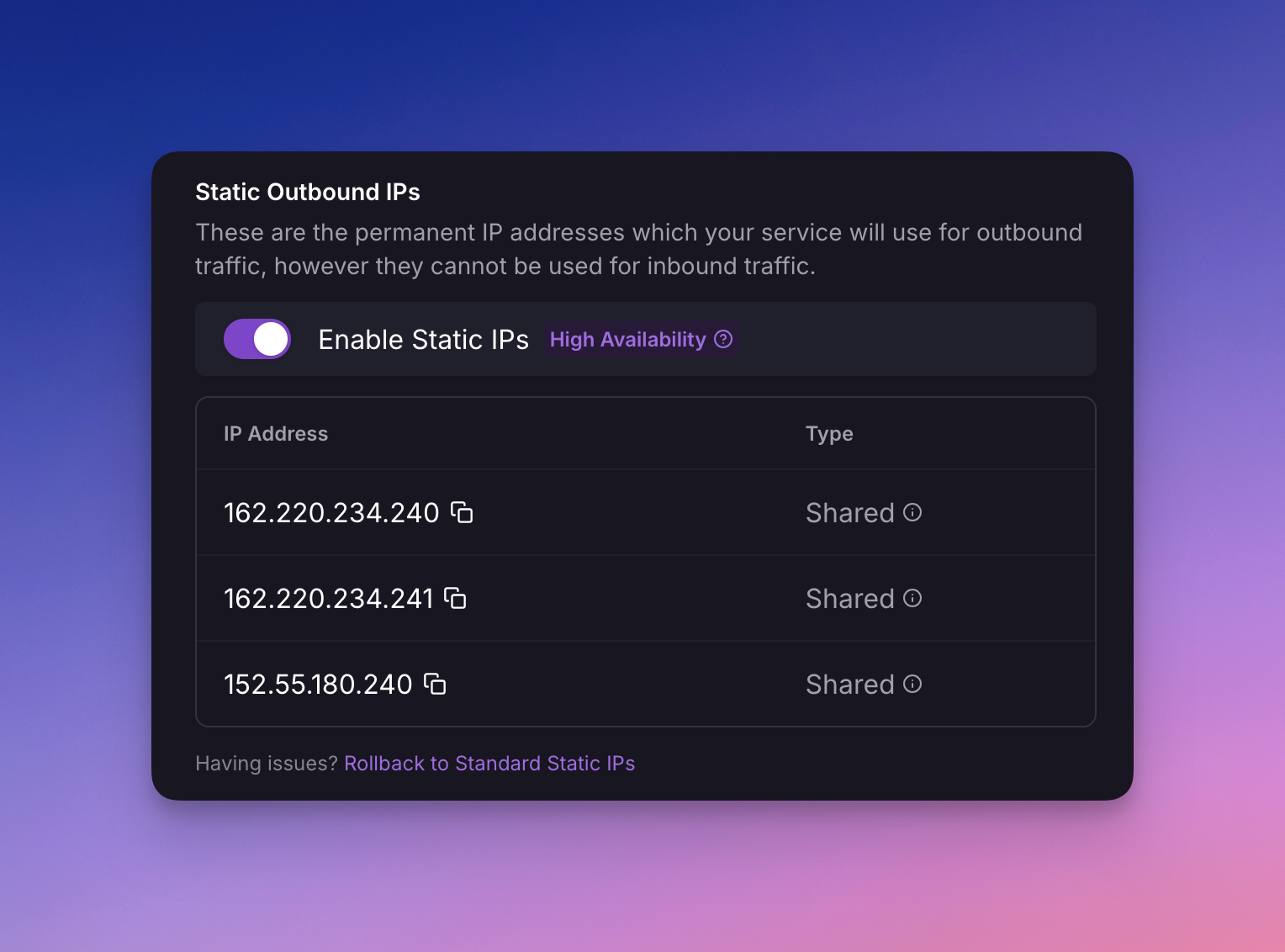
Traffic will be balanced over multiple IPs for high throughput and resiliency.
Use cases
This feature may be useful to you if you're using a third-party service provider or firewall that requires you to allowlist the IP addresses your services connect from, such as MongoDB Atlas.
The IPv4 addresses assigned to your service through this feature cannot be used to receive inbound traffic.
Enable static outbound IPs
Customers on the Pro plan can enable Static Outbound IPs for any service they wish.
- Navigate to the Settings tab of your desired service.
- Toggle Enable Static IPs in the Networking section.
- Review the IPv4 addresses tied to the region your service is deployed in.
- Redeploy the service.
Enable static outbound IPs from the CLI
Use the railway outbound-network command group
to manage Static Outbound IPs from the CLI:
railway outbound-network static-ip enable --service api
railway outbound-network static-ip status --service api
railway outbound-network static-ip disable --service api
Enabling or disabling Static Outbound IPs from the CLI commits the IP assignment change directly. Redeploy the service before outbound traffic uses the updated IP assignment.
Upgrade to HA Static Outbound IPs
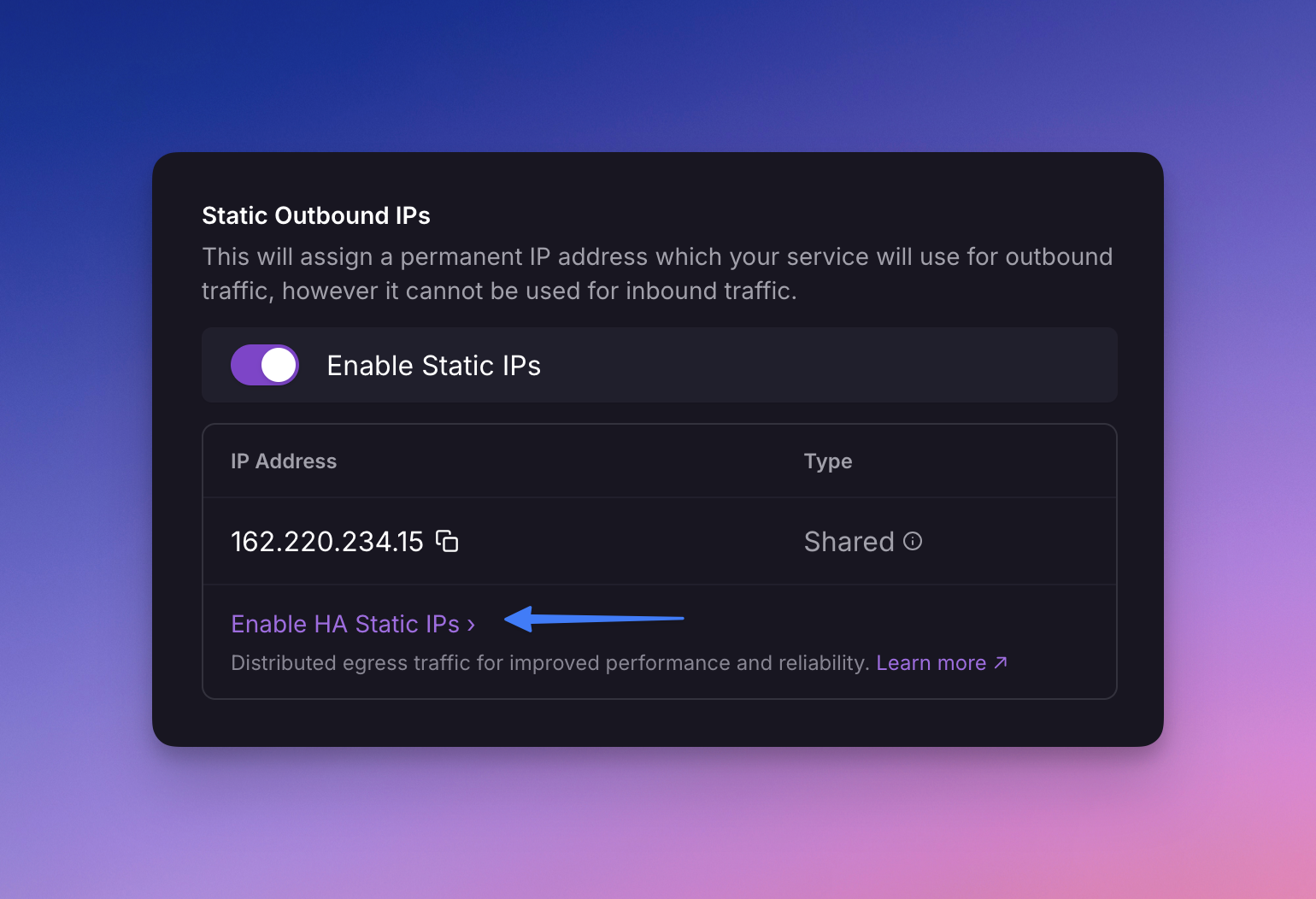
Previously a service would be assigned a single IP. For improved throughput and resiliency, services are assigned three IPs with outbound traffic load balanced over them.
If you have an existing single IP service, you can upgrade by clicking Enable HA Static IP under the Enable Static IPs toggle.
Railway shows the new Static IPs allocated to your service. Once you have updated your downstream allowlists, click Deploy to start using them.
Railway has contacted services using Legacy Static IPs to migrate before July 13, 2026. Any service still on a Legacy Static IP after July 13, 2026 will be automatically migrated.
Caveats
- Static Outbound IPs can prevent Serverless (App Sleep) from putting an idle service to sleep.
- There is no guarantee that the IPv4 addresses assigned to your service are dedicated. They may be shared with other customers.
- The IP addresses cannot be used for inbound traffic.
- If you wish to move your service to a different region, the IP addresses will change.