Functions
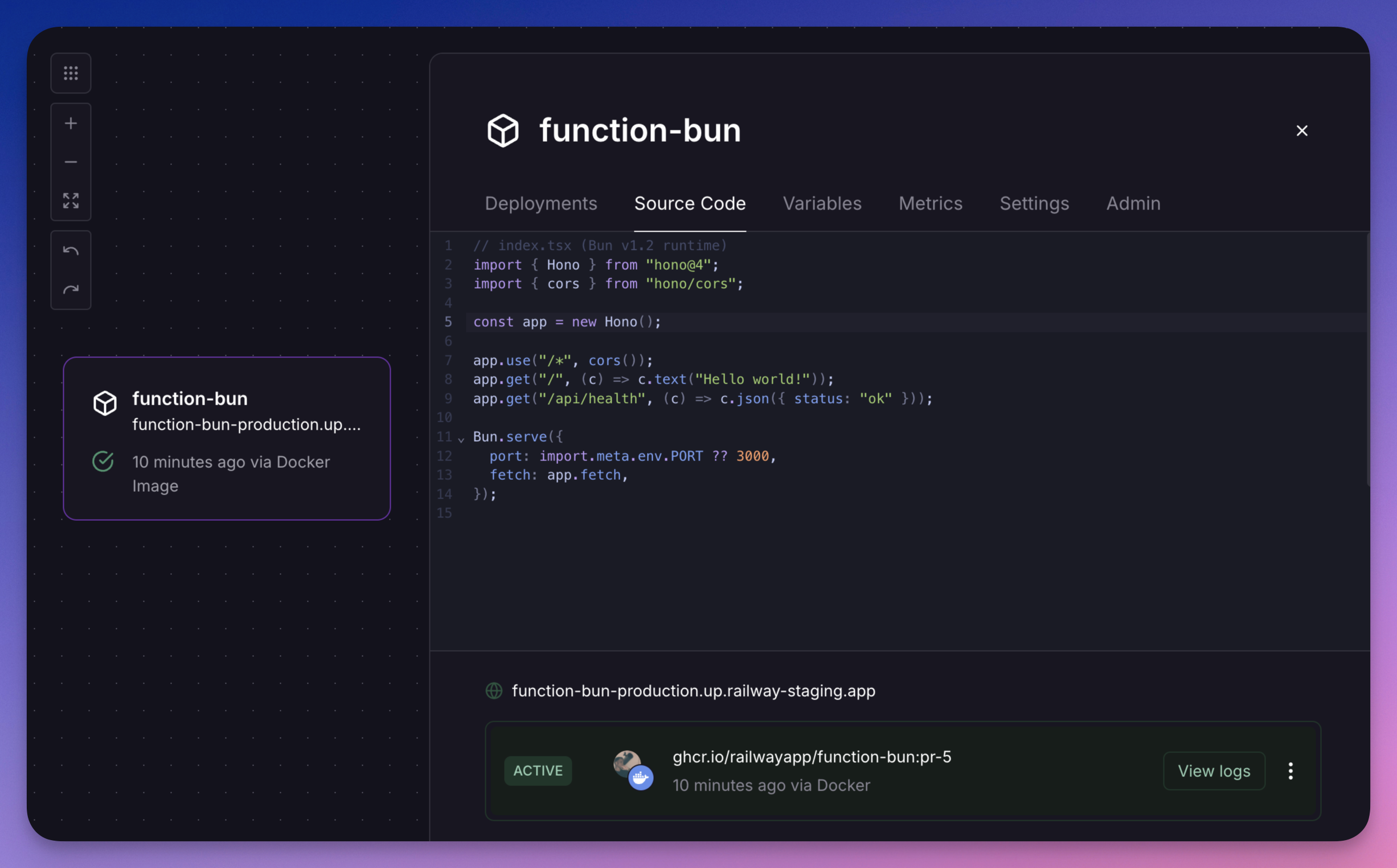
Write and deploy code from the Railway canvas without managing infrastructure or creating a git repository. Functions are Services that run a single file of TypeScript code using the Bun runtime. Use them like any other Service, but without the overhead of a repository.
They are ideal for small tasks like handling webhooks, cron jobs, or simple APIs.
Key features
- Instant deploys: Deploy code changes in seconds. No need to wait for a build step.
- Import any NPM package: Use any NPM package in your function. We will automatically install it for you when your code runs. Pin specific versions by using a
package@versionsyntax in your imports, e.g.import { Hono } from "hono@4" - Use native Bun APIs: Access Bun APIs like
Bun.file()andBun.serve(). - Service variables: Service Variables are automatically available in the function editor via
import.meta.env,process.env, orBun.env - Attach volumes: Persist data in your function using Volumes.
- Trace requests: Export OpenTelemetry spans to the Traces page from inside your function's file.
- Manage with Infrastructure as Code: Declare functions with
fnin.railway/railway.tsand keep their source files in your repository. See Infrastructure as Code. - Use Vim: Enable Vim keybindings in the function editor by using the shortcut
Ctrl+Option+Von a Mac orCtrl+Alt+Von Windows.
Limitations
- 1 file per function
- Max file size of 96KB
Edit and deploy
If you're familiar with VSCode or other IDEs, you'll feel right at home with the built-in editor.
- To edit your function, open the "Source Code" tab in your service.
- To stage your changes, press ⌘+S (or Control+S if using Windows).
- To deploy staged changes, press Shift+Enter.
Versioning
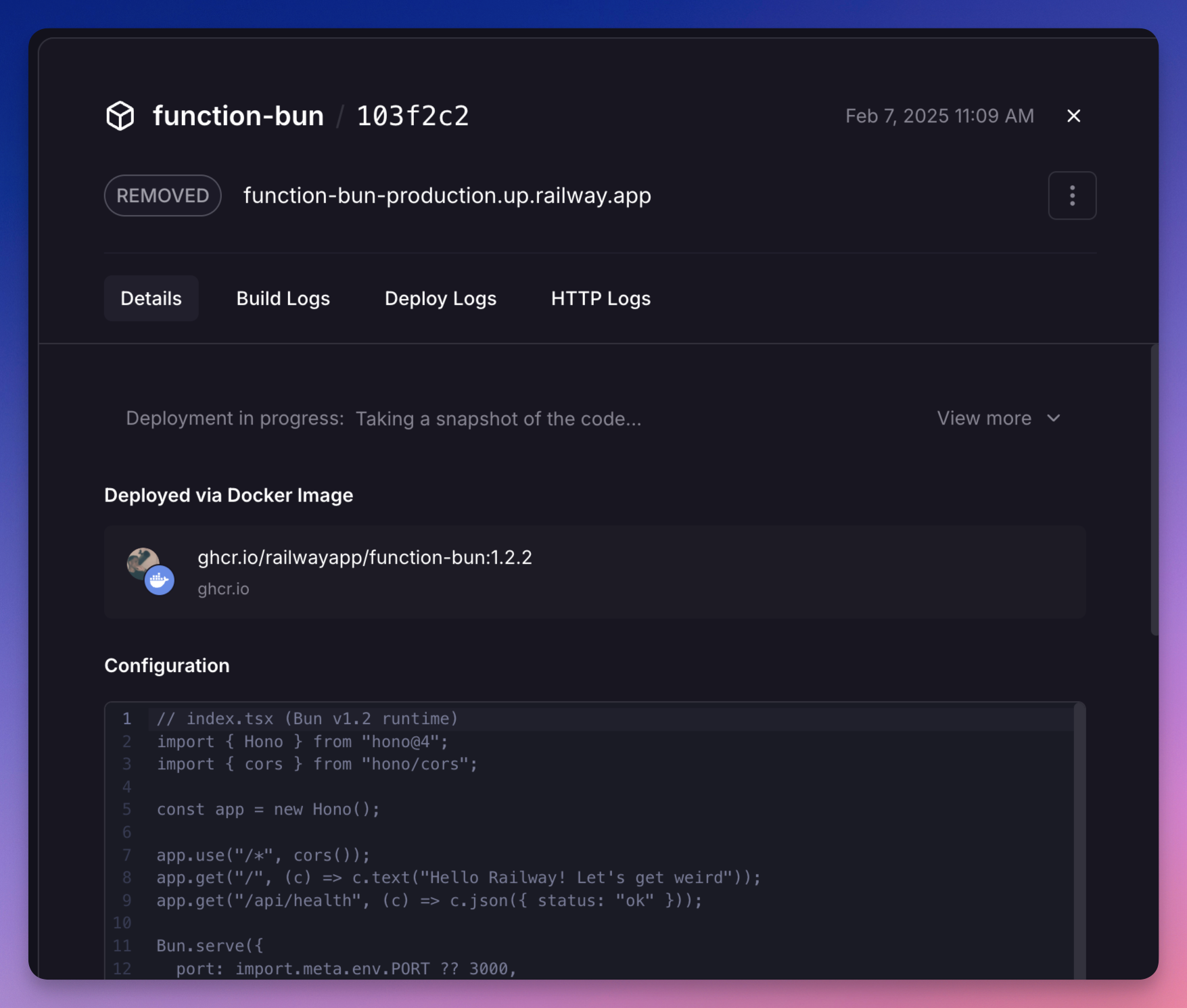
Railway automatically versions your function code. Each time you deploy, a new version is created and is available for rollback. To rollback or redeploy a previous version, find the Deployment you want to rollback to in the "Deployments" tab of your service. Then click the "Redeploy" button.
You can find the source code of a previous deployment by opening the deployment details.
Infrastructure as Code
You can declare functions in your Infrastructure as Code file next to the rest of your project. The fn helper takes the path of the function's source file, reads it when the Railway CLI evaluates the config, and deploys it the same way the editor and railway functions push do.
Railway stores a function's code base64-encoded in the start command of a service that runs the function image. fn does that encoding for you, so the dashboard shows and edits the deployed source as usual.
import { defineRailway, fn, postgres, project } from "railway/iac";

export default defineRailway(() => {
const db = postgres("db");

const hello = fn("hello", {
  codeFile: "./functions/hello.ts",
  domains: ["hello.example.com"],
});

const cleanup = fn("nightly-cleanup", {
  codeFile: "./functions/cleanup.ts",
  deploy: { cronSchedule: "0 2 * * *" },
  env: { DATABASE_URL: db.env.DATABASE_URL },
});

return project("my-app", {
  resources: [db, hello, cleanup],
});
});
With this layout, the source files live next to the config file:
.railway/railway.ts
.railway/functions/hello.ts
.railway/functions/cleanup.ts
How fn handles the source file:
codeFile(code_filein Python) is the path to the function's source. A relative path resolves against the directory of the config file, not the directory you run the CLI from. Absolute paths are used as is.- The file is read every time the config is evaluated, so
railway config planandrailway config applyalways deploy what is on disk. - The file must be at most 96 KB, the same limit as the editor. A larger file fails when the config is evaluated, before any plan runs.
codeFilesets the start command. Passingstartas well is an error.runtimepicks the runtime image and defaults tobun, the only runtime. To pin a specific image version, passruntime="bun:1.2.16"in Python, orsource: image("ghcr.io/railwayapp/function-bun:1.2.16")in TypeScript and Go.
Everything else service accepts, such as env, domains, deploy, and volume attachments, works on fn too. See the Infrastructure as Code reference for the full list.
Import existing functions
Run railway config pull to import functions you created in the dashboard or with the CLI. The CLI decodes each function's deployed source, writes it to .railway/functions/<name>.ts, and renders the function as an fn call that points at that file:
const hello = fn("hello", {
  codeFile: "functions/hello.ts",
  domains: ["hello.example.com"],
});
The CLI prints each source file it wrote. A function whose start command can't be decoded is rendered as a plain service with its raw start command, so nothing is lost.
Preview code changes
railway config plan decodes the source on both sides and shows a diff of the code instead of the encoded start command. The diff is capped at 200 lines. Creating a function reports the line count of its source.
Plan: 0 to add, 1 to change, 0 to destroy
  ~ Update hello source code
    └ source code (+1 -1)
    └   export default {
    └ -   fetch: () => new Response("hello"),
    └ +   fetch: () => new Response("hello from a function"),
    └   };
If you declare a function without codeFile, the plan warns that applying removes the deployed source. Pass codeFile, or run railway config pull first to import the existing code into functions/.