Grok Bot plugin
The Railway plugin for Grok Bot packages the use-railway skill with Railway's hosted MCP server. It connects to your Railway account through OAuth, so your bots can deploy, configure, monitor, and troubleshoot Railway infrastructure from a conversation.
Install the plugin
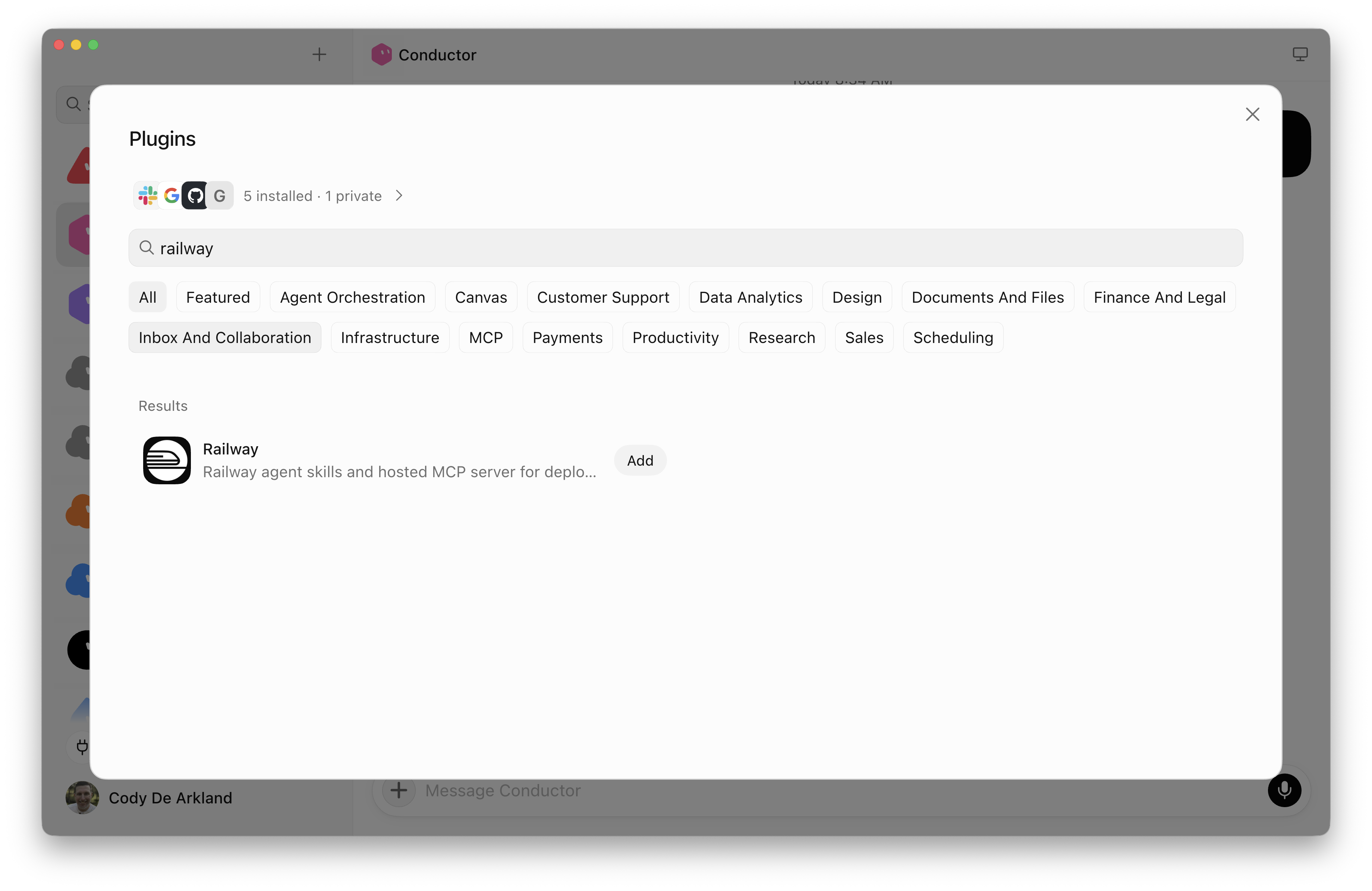
Install Railway from the plugins directory in Grok Bot:
- Launch Grok Bot.
- Open the plugins UI.
- Enter
railwayin the search field. - Click Add next to the Railway plugin in the results.
Authenticate with Railway
After adding the plugin, connect it to your Railway account. Authentication is handled by the Railway remote MCP server's OAuth flow.
- Open the Railway plugin page in Grok Bot.
- Under Accounts, click Authenticate next to the default account.
- Complete the Railway OAuth flow when your browser opens.
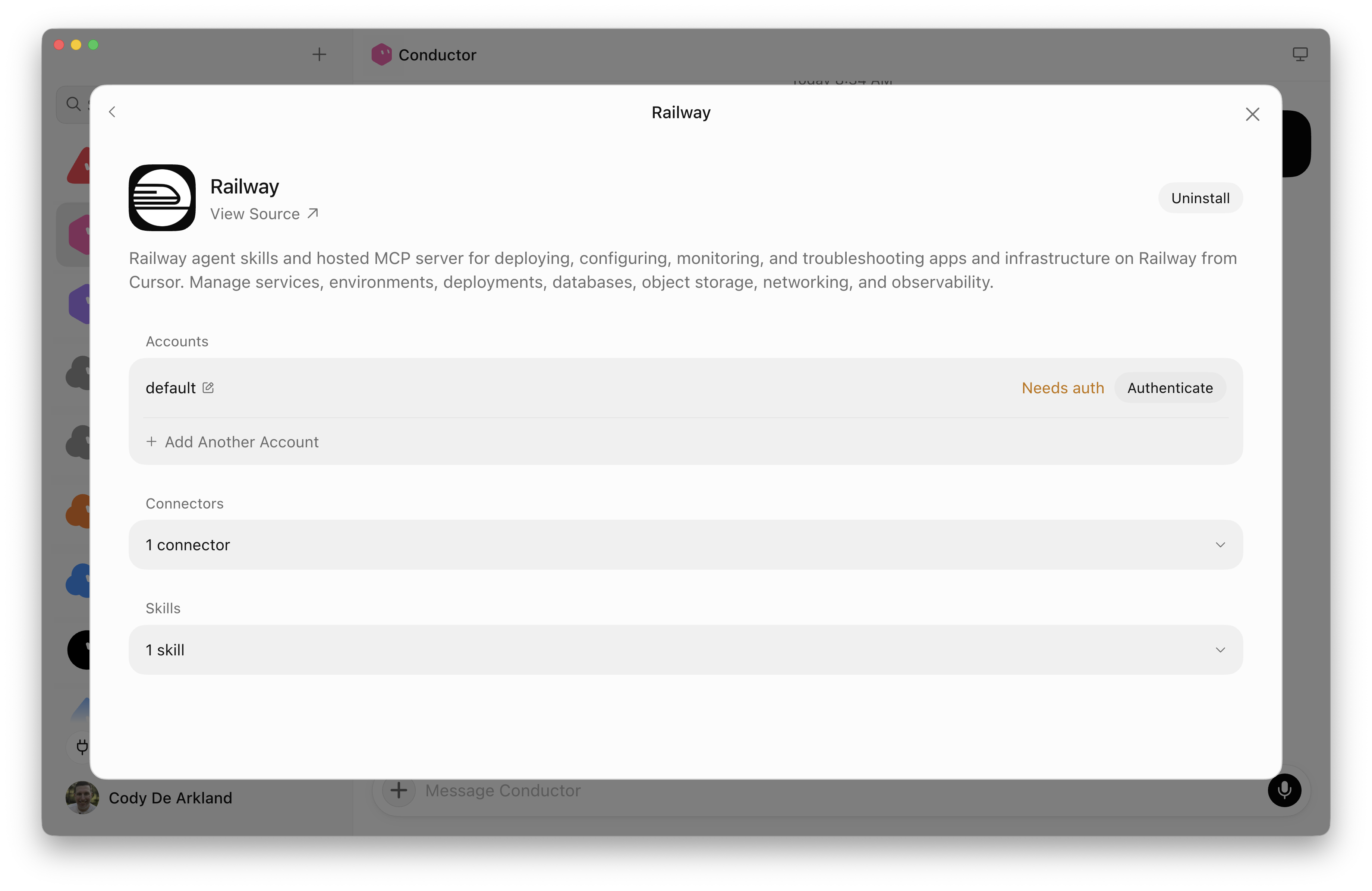
To connect more than one Railway account, click Add Another Account and authenticate each one separately.
Use Railway in Grok Bot
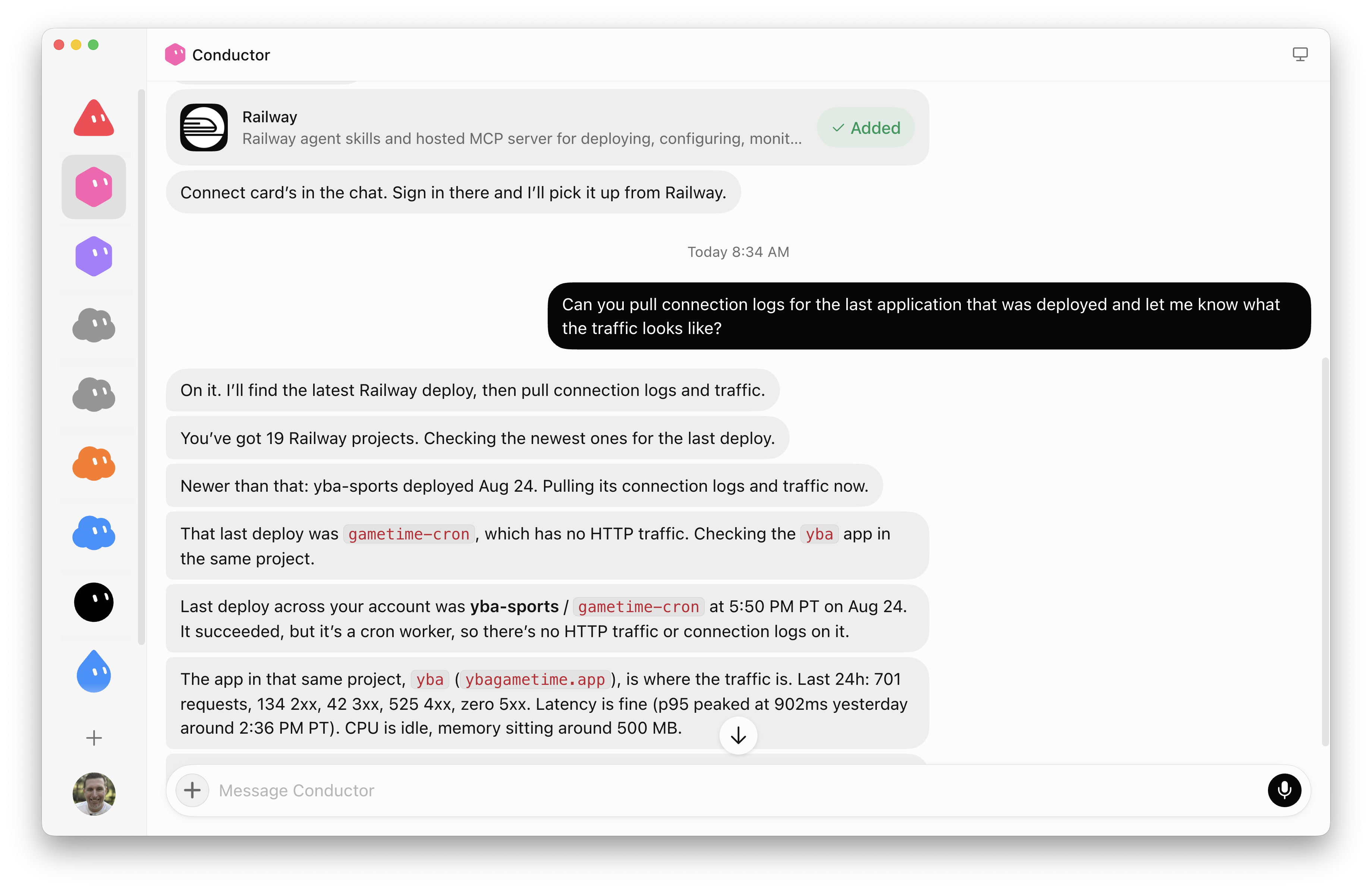
Ask a bot for the Railway outcome you want. Common use cases include:
- Create deployments of the applications you build
- Query performance data from the logs your applications collect
- Create routines in Grok that summarize application usage daily
- Coordinate releases between multiple bots
What's included
The Grok Bot plugin installs these components:
- The
use-railwayskill provides Railway-specific workflows for setup, deployment, configuration, and operations. - The hosted Railway MCP server provides authenticated access to Railway projects and infrastructure.
View the source
The Railway plugin is open-source in the Railway skills repository.