Config as Code
Config as Code is deprecated. Prefer Infrastructure as Code. Existing files keep working for legacy services until 2026-12-01; migrate with the guide in Infrastructure as Code.
Railway supports defining the configuration for a single deployment in a file
alongside your code. By default, we will look for a railway.toml or
railway.json file.
Everything in the build and deploy sections of the service settings can be specified in this configuration file.
How does it work?
When a new deployment is triggered, Railway will look for any config files in your code and combine these values with the settings from the dashboard.
The resulting build and deploy config will be used only for the current deployment.
The settings in the dashboard will not be updated with the settings defined in code.
Configuration defined in code will always override values from the dashboard.
Config source location
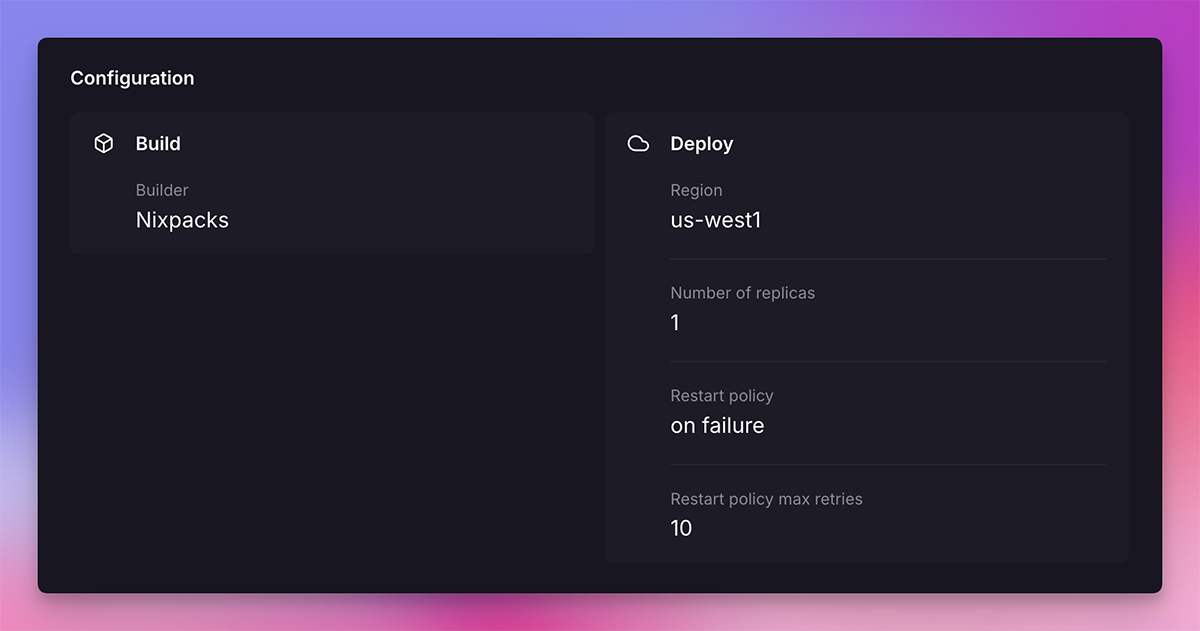
On the deployment details page, all the settings that a deployment went out with are shown. For settings that come from a configuration file, there is a little file icon. Hovering over the icon will show exactly what part of the file the values originated from.
Configurable settings
Specify the builder
Set the builder for the deployment.
{
  "$schema": "https://railway.com/railway.schema.json",
  "build": {
    "builder": "RAILPACK"
  }
}
Possible values are:
RAILPACK(default)DOCKERFILENote: Railway will always build with a Dockerfile if it finds one. New services default to Railpack unless otherwise specified.
Read more about Builds here.
Watch patterns
Array of patterns used to conditionally trigger a deploys.
{
  "$schema": "https://railway.com/railway.schema.json",
  "build": {
    "watchPatterns": ["src/**"]
  }
}
Read more about watch patterns here.
Build command
Build command to pass to the builder.
{
  "$schema": "https://railway.com/railway.schema.json",
  "build": {
    "buildCommand": "yarn run build"
  }
}
This field can be set to null.
Read more about the build command here.
Dockerfile path
Location of non-standard Dockerfile.
{
  "$schema": "https://railway.com/railway.schema.json",
  "build": {
    "dockerfilePath": "Dockerfile.backend"
  }
}
This field can be set to null.
More about building from a Dockerfile here.
Railpack version
Must be a valid Railpack version.
{
  "$schema": "https://railway.com/railway.schema.json",
  "build": {
    "railpackVersion": "0.7.0"
  }
}
This field can be set to null.
You can also use the RAILPACK_VERSION configuration
variable
to set the Railpack version.
Start command
The command to run when starting the container.
{
  "$schema": "https://railway.com/railway.schema.json",
  "deploy": {
    "startCommand": "node index.js"
  }
}
This field can be set to null.
Read more about the start command here.
Pre-deploy command
The command to run before starting the container.
{
  "$schema": "https://railway.com/railway.schema.json",
  "deploy": {
    "preDeployCommand": ["npm run db:migrate"]
  }
}
This field can be omitted.
Read more about the pre-deploy command here.
Multi-region configuration
Horizontal scaling across multiple regions, with two replicas in each region.
{
  "$schema": "https://railway.com/railway.schema.json",
  "deploy": {
    "multiRegionConfig": {
      "us-west2": {
        "numReplicas": 2
      },
      "us-east4-eqdc4a": {
        "numReplicas": 2
      },
      "europe-west4-drams3a": {
        "numReplicas": 2
      },
      "asia-southeast1-eqsg3a": {
        "numReplicas": 2
      }
    }
  }
}
This field can be set to null.
Read more about horizontal scaling with multiple regions here.
Healthcheck path
Path to check after starting your deployment to ensure it is healthy.
{
  "$schema": "https://railway.com/railway.schema.json",
  "deploy": {
    "healthcheckPath": "/health"
  }
}
This field can be set to null.
Read more about the healthcheck path here.
Healthcheck timeout
Number of seconds to wait for the healthcheck path to become healthy.
{
  "$schema": "https://railway.com/railway.schema.json",
  "deploy": {
    "healthcheckPath": "/health",
    "healthcheckTimeout": 300
  }
}
This field can be set to null.
Read more about the healthcheck timeout here.
Restart policy type
How to handle the deployment crashing.
{
  "$schema": "https://railway.com/railway.schema.json",
  "deploy": {
    "restartPolicyType": "ALWAYS"
  }
}
Possible values are:
ON_FAILUREALWAYSNEVER
Read more about the Restart policy here.
Restart policy max retries
Set the max number of retries for the restart policy.
{
  "$schema": "https://railway.com/railway.schema.json",
  "deploy": {
    "restartPolicyType": "ALWAYS",
    "restartPolicyMaxRetries": 5
  }
}
This field can be set to null.
Read more about the Restart policy here.
cron schedule
Cron schedule of the deployed service.
{
  "$schema": "https://railway.com/railway.schema.json",
  "deploy": {
    "cronSchedule": "*/15 * * * *"
  }
}
This field can be set to null.
Setting environment overrides
Configuration can be overridden for a specific environment by nesting it in a
environments.[name] block.
When resolving the settings for a deployment, Railway will use this priority order:
- Environment specific config in code
- Base config in code
- Service settings
The following example changes the start command just in the production environment.
{
  "$schema": "https://railway.com/railway.schema.json",
  "environments": {
    "staging": {
      "deploy": {
        "startCommand": "npm run staging"
      }
    }
  }
}
PR environment overrides
Deployments for pull requests can be configured using a special pr environment. This configuration is applied only to deploys that belong to an ephemeral environment. When resolving the settings for a PR deployment, the following priority order is used:
- Environment with the name of the ephemeral environment
- Environment with the hardcoded name "pr"
- Base environment of the pull request
- Base config as code
- Service settings
{
  "$schema": "https://railway.com/railway.schema.json",
  "environments": {
    "pr": {
      "deploy": {
        "startCommand": "npm run pr"
      }
    }
  }
}
Deployment teardown
You can configure Deployment Teardown settings to tune the behavior of zero downtime deployments on Railway.
Overlap seconds
Time in seconds that the previous deploy will overlap with the newest one being deployed. Read more about the deployment's lifecycle here.
{
  "$schema": "https://railway.com/railway.schema.json",
  "deploy": {
    "overlapSeconds": "60"
  }
}
This field can be set to null.
Draining seconds
The time in seconds between when the previous deploy is sent a SIGTERM to the time it is sent a SIGKILL. Read more about the deployment's lifecycle here.
{
  "$schema": "https://railway.com/railway.schema.json",
  "deploy": {
    "drainingSeconds": "10"
  }
}
This field can be set to null.