Deploying a Monorepo
Railway provides a few features to help improve support for deploying monorepos of various types:
- Isolated Monorepo → A repository that contains components that are completely isolated to the directory they are contained in (eg. JS frontend and Python backend)
- Shared Monorepo → A repository that contains components that share code or configuration from the root directory (eg. Yarn workspace or Lerna project). We support automated import of Javascript monorepos for pnpm, npm, yarn or bun monorepos.
For a full step by step walk through on deploying an isolated Monorepo see the tutorial on the subject.
Deploying an isolated monorepo
The simplest form of a monorepo is a repository that contains two completely isolated projects that do not share any code or configuration.
├── frontend/
│   ├── index.js
│   └── ...
└── backend/
    ├── server.py
    └── ...
To deploy this type of monorepo on Railway, define a root directory for the service.
- Select the service within the project canvas to open up the service view.
- Click on the Settings tab.
- Set the root directory option. Setting this means that Railway will only pull down files from that directory when creating new deployments.
Alternatively, set the root directory from the CLI:
railway environment edit --service-config backend source.rootDirectory /backend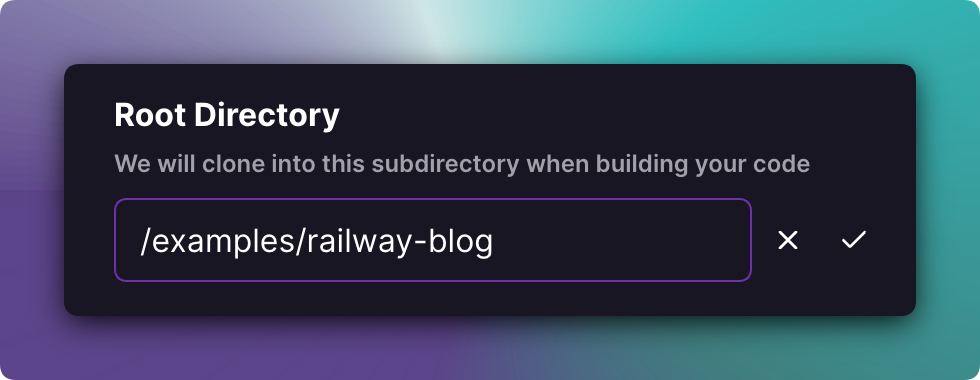
Note: The Railway Config File does not follow the Root Directory path. You have to specify the absolute path for the railway.json or railway.toml file, for example: /backend/railway.toml
Deploying a shared monorepo
Popular in the JavaScript ecosystem, shared monorepos contain multiple components that all share a common root directory.
By default, all components are built with a single command from the root directory (e.g. npm run build). You can override the build command in the service settings.
├── package.json
└── packages
    ├── backend
    │   └── index.js
    ├── common
    │   └── index.js
    └── frontend
        └── index.jsx
To deploy this type of monorepo in Railway, define a separate custom start command in Service Settings for each project that references the monorepo codebase.
- Select the service within the project canvas to open the service view.
- Click on the Settings tab.
- Set the start command, e.g.
npm run start:backendandnpm run start:frontend
If you prefer, you can set custom build and start commands from the CLI:
railway environment edit \
  --service-config backend build.buildCommand "pnpm --filter backend build"
railway environment edit \
  --service-config backend deploy.startCommand "pnpm --filter backend start"
Automatic import for JavaScript monorepos
When you import a Javascript monorepo via the project creation page, we automatically detect if it's a monorepo and stage a service for each deployable package. This works for pnpm, npm, yarn and bun.
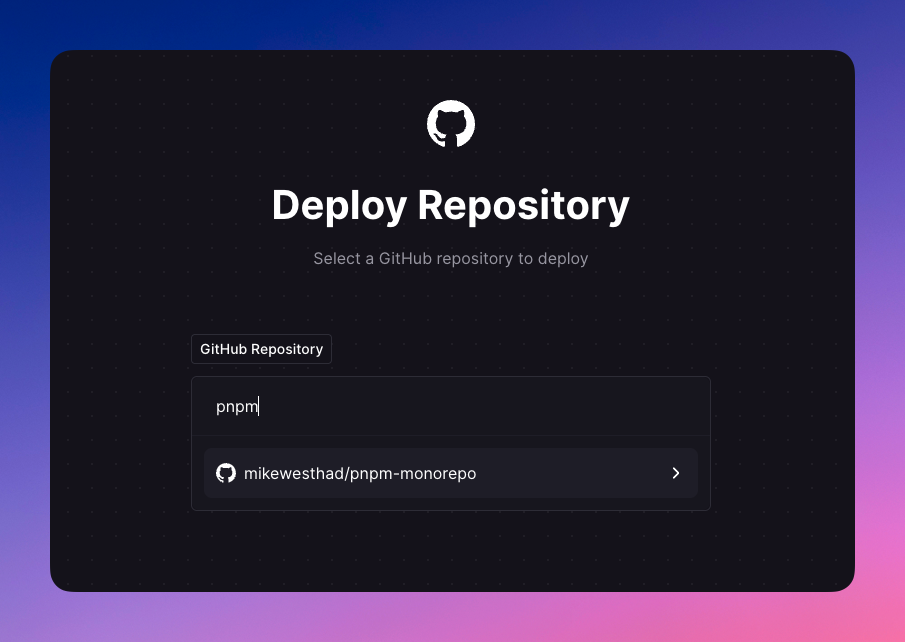
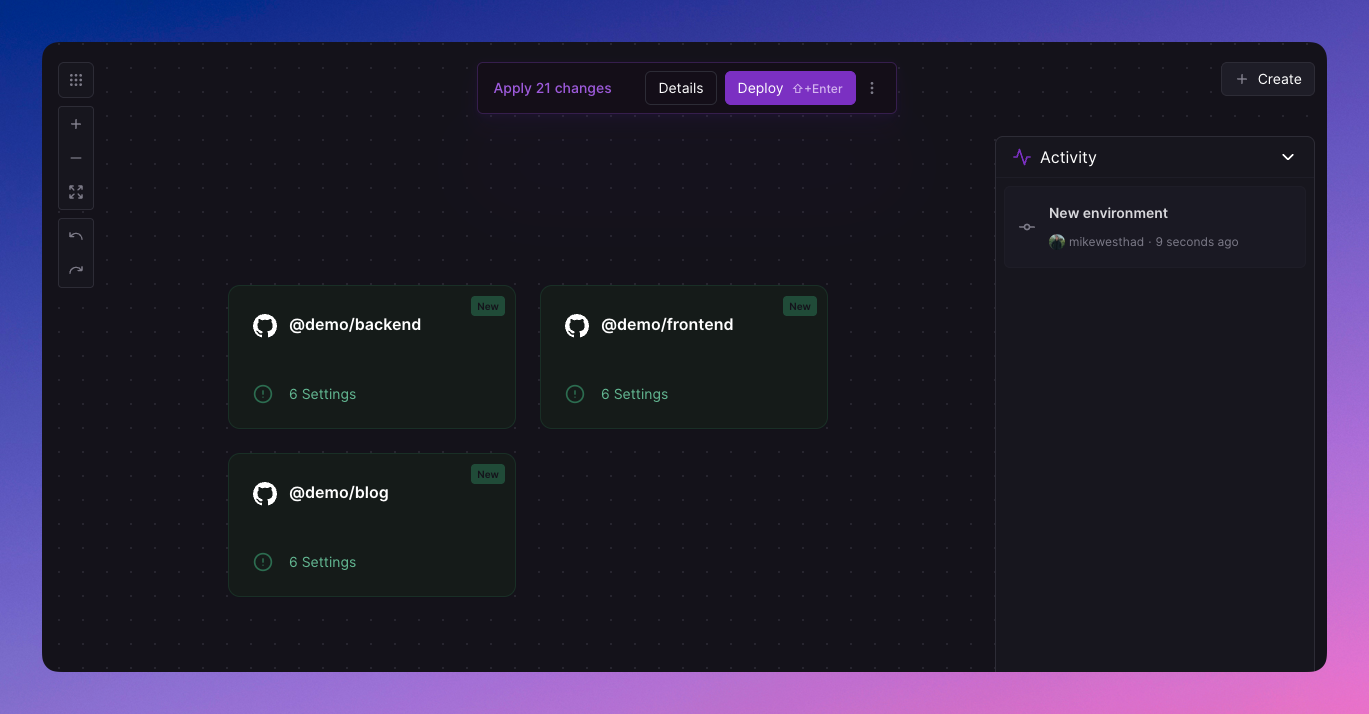
For each package detected, Railway automatically configures:
- Service Name: generated from the package name or directory
- Start Command: workspace-specific commands like
pnpm --filter [package] start - Build Command: workspace-specific commands like
pnpm --filter [package] build - Watch Paths: set to the package directory (e.g.,
/packages/backend/**) - Config as Code: railway.json / railway.toml are detected at the root of the package directory
Railway filters out non-deployable packages such as configuration packages (eslint, prettier, tsconfig) and test packages.
Watch paths
To prevent code changes in one service from triggering a rebuild of other services in your monorepo, you should configure watch paths.
Watch paths are gitignore-style patterns that can be used to trigger a new deployment based on what file paths have changed.
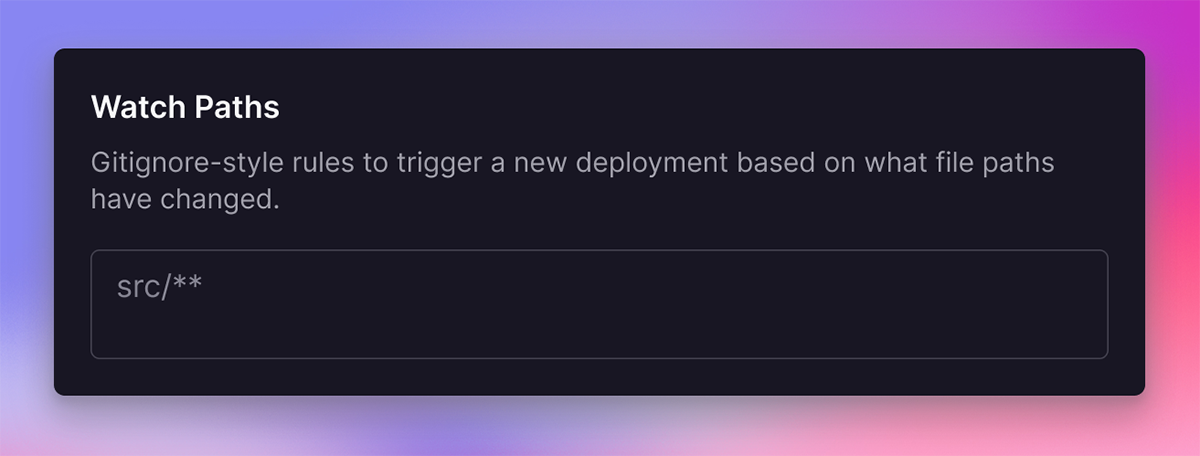
A monorepo might want to only trigger builds if files are changed in the /packages/backend directory, for example.
Using the CLI
The Railway CLI lets you configure a service's root directory, build command, and start command with railway environment edit. Use the --service-config flag with the corresponding dot-path.
Before running the command, use railway link and follow the prompts to link the CLI to the correct project and environment. The --service-config flag selects the target service by name or ID.