Two-Factor Authentication Enforcement
2FA Enforcement is available on the Pro plan and above.
Two-Factor Authentication (2FA) Enforcement allows workspace admins to require all members to have 2FA enabled on their account before accessing the workspace.
Enabling 2FA enforcement
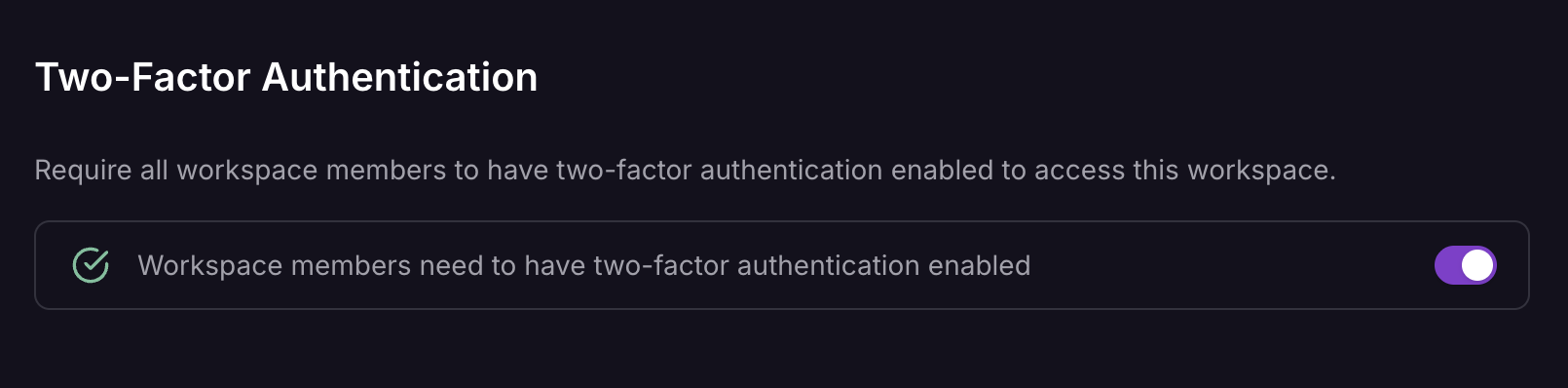
To enable 2FA enforcement for your workspace:
- Navigate to your workspace's People settings.
- Toggle the Require 2FA option.
You must be a workspace admin with 2FA already enabled on your account to configure this setting.
Once enabled, enforcement takes effect immediately. Members who haven't set up 2FA will be prompted to configure it before they can access the workspace.
Behavior
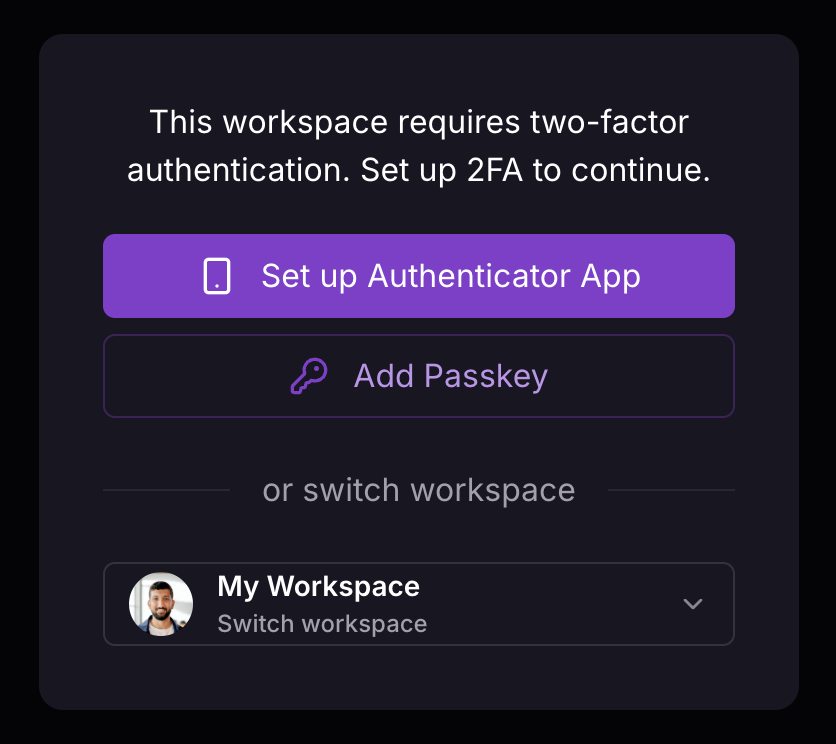
When 2FA enforcement is enabled:
- Existing members without 2FA are prompted to set it up before accessing the workspace.
- Members can still be invited to the workspace. They can accept the invite, but must enable 2FA before accessing workspace resources.
- Users joining via Trusted Domains are added to the workspace, but must enable 2FA before accessing workspace resources.
- New members cannot view or interact with workspace projects until 2FA is configured.
Access methods
- Dashboard and CLI: All workspace members must have 2FA enabled to access the workspace through the Railway dashboard or CLI.
- API Tokens: Access token-based access (such as project tokens or workspace tokens used for CI/CD pipelines and automated deployments) remains valid without 2FA. This ensures your automated workflows continue to function without interruption.
Disabling 2FA enforcement
Workspace admins can disable 2FA enforcement at any time through the workspace's People settings. Once disabled, members are no longer required to have 2FA enabled to access the workspace.