---
title: Network Diagnostics
description: Troubleshoot network issues using Railway's network diagnostic tool
---
When you encounter issues connecting to your Railway services, you can use the 
following tool to help us diagnose the problem.
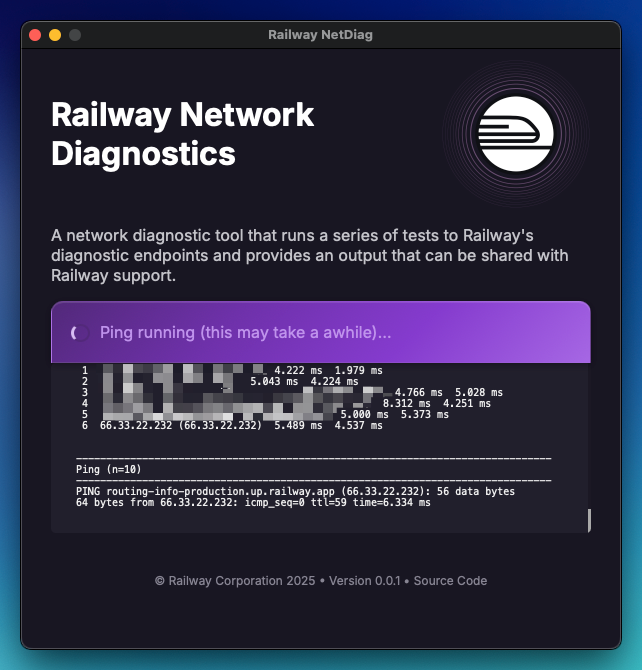
<Image src="https://res.cloudinary.com/railway/image/upload/v1756932024/docs/205816ef-5cc5-4925-b807-f34c6ce09d95.png"
alt="Screenshot of NetDiag application"
layout="intrinsic"
width={642} height={670} quality={100} />

## Download

The latest version of the tool is available for macOS and Windows:

- [**macOS**](https://github.com/railwayapp/netdiag/releases/latest/download/RailwayNetDiag_macOS.zip)
- [**Windows**](https://github.com/railwayapp/netdiag/releases/latest/download/RailwayNetDiag_Win.zip)

## Instructions

1. Open the application and click "Run Diagnostics":
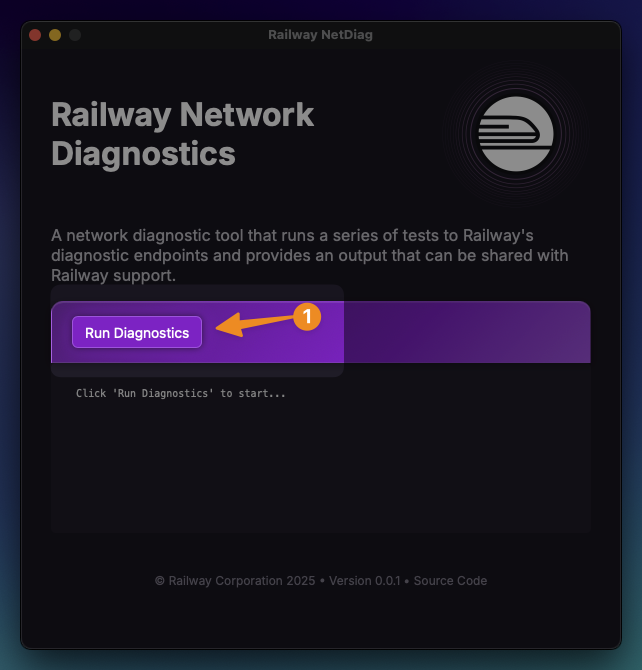
<Image src="https://res.cloudinary.com/railway/image/upload/v1756932289/docs/step-share-diagnostics_tebnh5.png"
alt="NetDiag - Run diagnostics"
layout="intrinsic"
width={642} height={670} quality={100} />

2. Once the diagnostics are complete, click "Copy to Clipboard" or "Save to File":
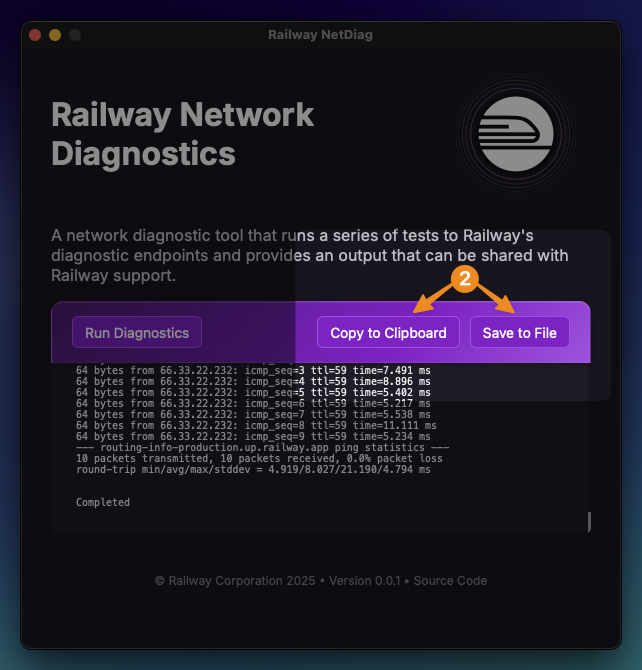
<Image src="https://res.cloudinary.com/railway/image/upload/v1756932289/docs/step-save-output_vr98ug.png"
alt="NetDiag - Share output"
layout="intrinsic"
width={642} height={670} quality={100} />

3. Share the output with Railway Support 

## Source Code

NetDiag is open source and available on [GitHub](https://github.com/railwayapp/netdiag).