Deployments reference
Deployments are attempts to build and deliver your service.
All deployments will appear in the deployments view on your selected service.

How it works
Upon service creation, or when changes are detected in the service source, Railway will build the service and package it into a container with Railpack or a Dockerfile if present. If the source is a Docker Image, the build step is skipped.
Railway then starts the service using either the detected or configured Start Command.
This cycle represents a deployment in Railway.
Deployment states
A comprehensive up to date list of statues can be found in Railway's GraphQL playground under DeploymentStatus (screenshot).
Deployments can be in any of the following states:
Initializing
Every Deployment in Railway begins as Initializing - once it has been accepted into Railway's build queue, the status will change to Building.
Building
While a Deployment is Building, Railway will attempt to create a deployable Docker image containing your code and configuration (see Builds).
Deploying
Once the build succeeds, Railway will attempt to deploy your image and the Deployment's status becomes Deploying. If a healthcheck is configured, Railway will wait for it to succeed before proceeding to the next step.
Failed
If an error occurs during the build or deploy process, the Deployment will stop and the status will become Failed.
Active
Railway will determine the deployment's active state with the following logic -
-
If the deployment has a healthcheck configured, Railway will mark the deployment as
Activewhen the healthcheck succeeds. -
If the deployment does not have a healthcheck configured, Railway will mark the deployment as
Activeafter starting the container.
Completed
This is the status of the Deployment when the running app exits with a zero exit code.
Crashed
A Deployment will remain in the Active state unless it crashes, at which point it will become Crashed.
Removed
When a new Deployment is triggered, older deploys in a Active, Completed, or a Crashed state are eventually removed - first having their status updated to Removing before they are finally Removed. Deployments may also be removed manually.
The time from when a new deployment becomes Active until the previous deployment is removed can be controlled by setting a RAILWAY_DEPLOYMENT_OVERLAP_SECONDS service variable.
Deployment menu
The deployment menu contains actions you can take on a deployment.
Note: Some actions are only available on certain deployment states.
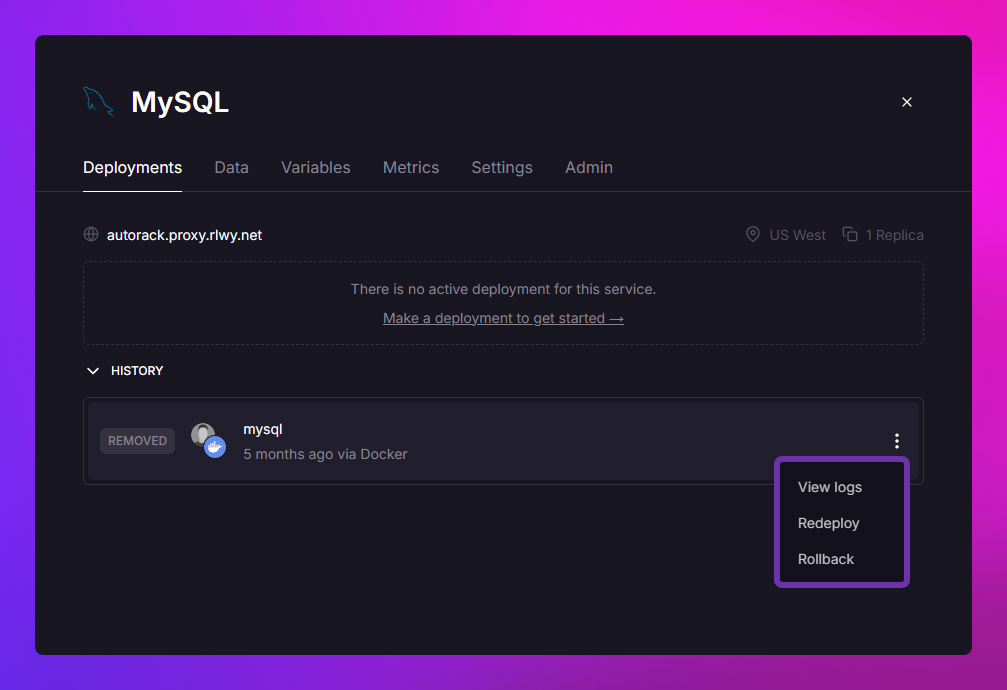
View logs
Opens the deployment up to the corresponding logs, during build the build logs will be shown, during deploy the deploy logs will be shown.
Restart
Restarts the process within the deployment's container, this is often used to bring a service back online after a crash or if you application has locked up.
Redeploy
Redeploys the selected deployment.
This is often used to bring a service back online after -
- A crash.
- A usage limit has been reached and raised.
- Upgrading to Hobby when trial credits were previously depleted.
- Being demoted from Hobby to free and then upgrading again.
Notes -
-
The redeploy will use the source code from the selected deployment.
-
Deployments older than your plan's retention policy cannot be restored via rollback, and thus the rollback option will not be visible.
Rollback
Redeploys the selected deployment.
Notes -
-
The rollback will use the source code from the selected deployment.
-
Deployments older than your plan's retention policy cannot be restored via rollback, and thus the rollback option will not be visible.
Remove
Stops the currently running deployment, this also marks the deployment as REMOVED and moves it into the history section.
Abort
Cancels the selected initializing or building deployment, this also marks the deployment as REMOVED and moves it into the history section.
Ephemeral storage
Every service deployment has access to 1GB of ephemeral storage on the Free plan and 100GB on a paid plan. If a service deployment exceeds the maximum allowed storage, it can be forcefully stopped and redeployed.
If your service requires data to persist between deployments, or needs more than the maximum allowed storage, you should add a volume.
Singleton deploys
By default, Railway maintains only one deploy per service.
In practice, this means that if you trigger a new deploy either manually or automatically, the old version will be stopped and removed with a slight overlap for zero downtime.
Once the new deployment is online, the old deployment is sent a SIGTERM signal. By default, it is given 0 seconds to gracefully shutdown before being forcefully stopped with a SIGKILL. We do not send any other signals under any circumstances.
The time given to gracefully shutdown can be controlled by setting a RAILWAY_DEPLOYMENT_DRAINING_SECONDS service variable.
Railway initiated deployments
Occasionally, Railway will initiate a new deployment to migrate your service from one host to another. This may happen for one of three reasons:
- At your plan tier, such as Trial or Hobby, you may be pre-emptively moved to a different host to help us optimize workload distribution.
- A host requires security or performance updates and requires there to be no running workloads on the machine. We provide advance warning for these events.
- A host has a fault and we migrate workloads off the machine to another to maintain customer service continutity.
We perform these migrations when implementing security patches or platform upgrades to the underlying infrastructure where your service was previously running. During platform-wide upgrades, your service might be redeployed multiple times as we roll out changes across Railway's infrastructure. These deployments are mandatory and cannot be opted out of.
These Railway-initiated deployments will display with a banner above the Active deployment to clearly identify them.
Deployments paused - limited access
Railway's core offering is dynamic, allowing you to vertically or horizontally scale with little-to-no-notice. To offer this flexibility to customers, Railway takes the stance that Pro/Enterprise tiers may, in rare occasions, be prioritized above Free/Hobby tiers.
During periods where Pro/Enterprise users require additional resources, Railway may temporarily suspend resource allocation, including builds, to Free, and more rarely Hobby, customers.
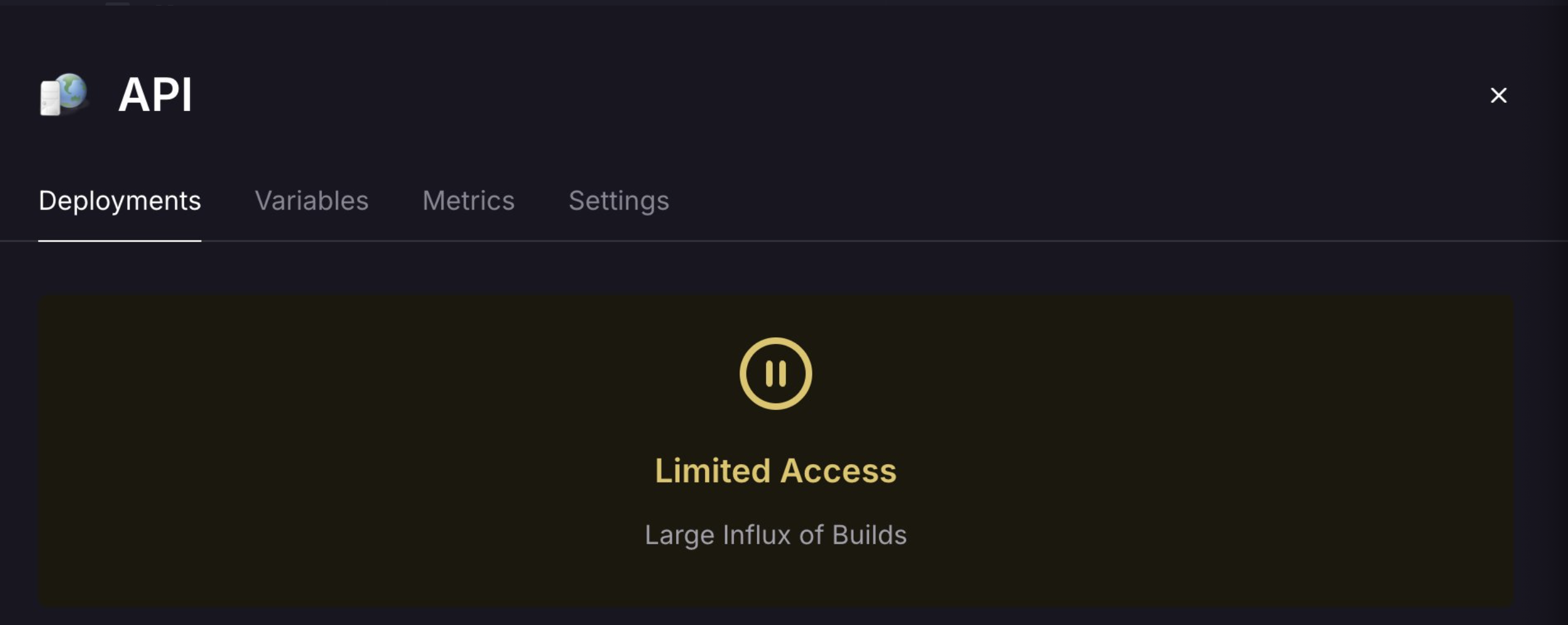
During a pause
- You'll see a "Limited Access" indicator in your dashboard
- New deployments will be queued rather than immediately processed
- All other Railway features remain fully functional
- No data or existing deployments are affected
Continue deploying during high traffic
If you need to deploy immediately during a high traffic pause, you can upgrade to the Pro plan to bypass the deployment queue. Pro tier customers are not affected by deployment pausing and can continue deploying normally during high traffic periods.
When normal operations resume
- Queued deployments will automatically process in order
- You'll receive a notification when deployment capabilities are restored
- No action is required on your part
Support
For information on how to manage your deployments, explore the guides in this section.