Support
Railway provides support tailored to customer needs across different subscription tiers. Support tier and prioritization is determined by your plan level.
Support tiers
Trial, free, hobby
Users on Trial, Free, and Hobby plans receive community support through Central Station. While Railway employees may participate in community discussions, responses are not guaranteed for these tiers.
Pro
Pro plan users get direct help from Railway via Central Station, usually within 72 hours. This excludes SLOs and application-level support.
Enterprise & business class
For organizations requiring SLOs and enhanced support, please refer to Business Class support.
How to ask for help
When you reach out for help, it's important that you help us help you. Please include as much information as you can, including but not limited to:
- Description of the issue you're facing
- IDs (Project ID, Service Name/ID, Deployment ID, etc.)
- Railway environment of your service/deployment
- Error messages and descriptions
- Logs (build and/or deploy)
- Link to GitHub repo/code or template you're using, if applicable
Using an AI assistant
If an assistant is helping you write your request, give it our instructions for preparing a support request. They help it explain the problem in plain language, include relevant evidence, and describe why you need support. Review the draft before posting, check that its claims match what happened, and remove secrets or unrelated personal details.
Already have a thread? Share the latest support response with your assistant and use the reply instructions. A useful reply answers the outstanding questions, explains what you tried and what happened, and says what is still unresolved. There is no need to repeat the original request. If the problem is fixed, a short confirmation is enough.
Assistants can discover both resources through Central Station's agent index.
Application-level support
Railway does not provide application-level support. We are unable to debug your code or fix bugs in your application. We may provide these services on a case-by-case basis for Business Class or Enterprise customers.
For application-level support, connect with the Railway community on Central Station.
Email support
Railway does not provide support via email. All support requests should be directed to Central Station. Email communication is reserved for the following specific purposes:
- Sales inquiries: team@railway.com
- Security reports: bugbounty@railway.com
- Abuse reports: abuse@railway.com
- Privacy inquiries: privacy@railway.com
Emails outside these categories may not receive a response.
Central station
Railway conducts its support over the Central Station platform.
It hosts the Railway community of 1,800,000+ users and developers. It is where you can find answers to common questions, ask questions, and get in touch with the Railway team.
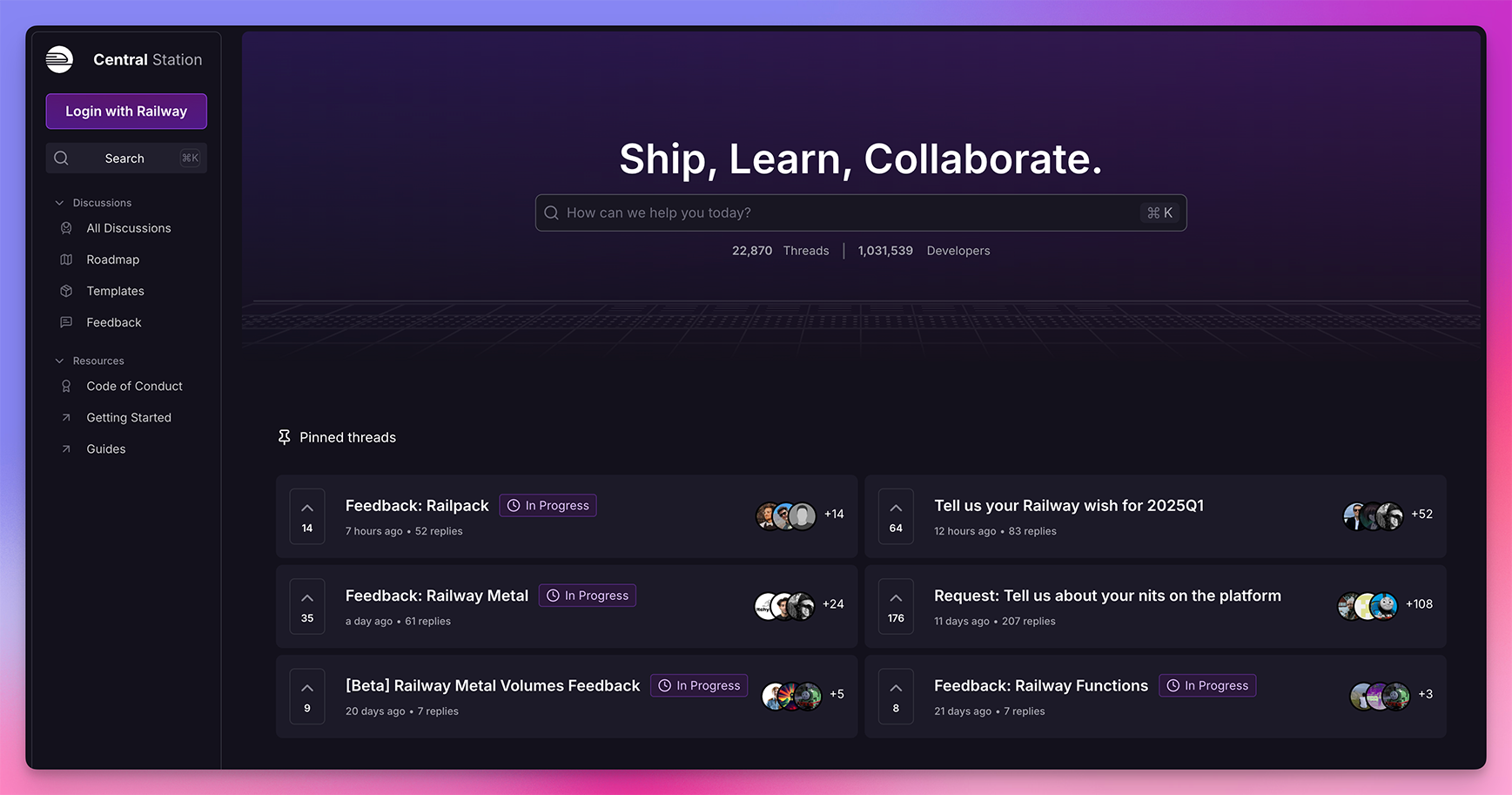
Please ensure that you've searched for your issue before creating a new thread, follow the guidelines in How To Ask For Help, and abide by the Code of Conduct.
Private threads
Pro users may create a Private Thread on Central Station. Private Threads are only visible to the creator and Railway employees.
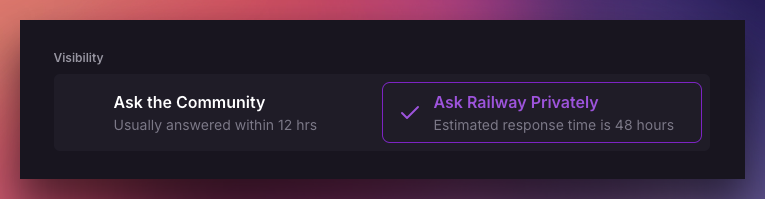
Private Threads have a slower response time because only Railway employees can see them.
Railway may make the thread public for community involvement if we determine that there is no sensitive information in your thread, or if you are asking for application-level support.
Slack
Railway offers Slack Connect channels to Enterprise plan customers with a minimum committed spend of $2,000/month. Customers can raise issues, coordinate their migration over to Railway, and provide feedback within a Slack Connect channel.
Additionally, the solutions team at Railway may provide a shared Slack Connect channel to facilitate better communication and support.
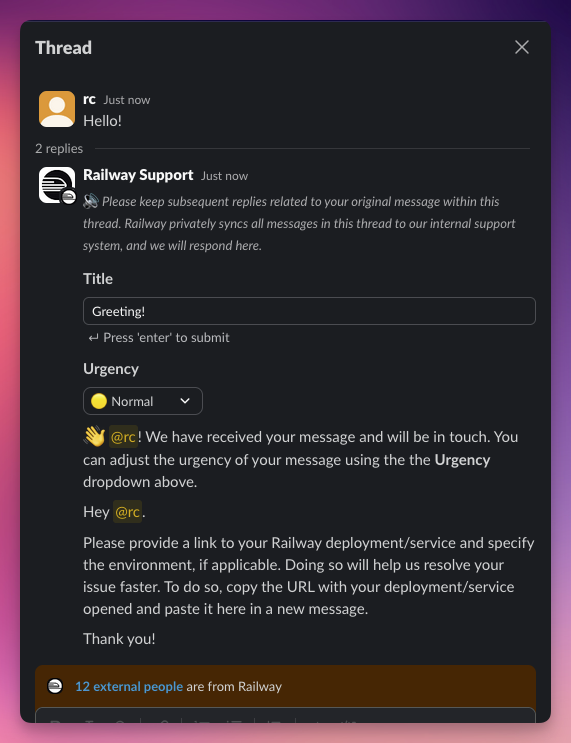
Enterprise teams with $2,000/month committed spend can create a Slack Connect channel within the Workspace settings page:

Users in a Slack Connect channel can invite their team members using the Slack
interface or by pressing the Join Slack button again to initiate new invites.
Business class
For companies who need dedicated support, we offer Business Class.
Business Class is support and success designed for those who need the full attention of Railway. Business Class support is a dedicated support channel with SLOs for your company. Workspaces become eligible for Business Class support after $5,000/mo in spend.
Reach out to us at team@railway.com to enable your SLO.
Business class SLOs
We prioritize Business Class customers over all other support requests.
| Severity | Acknowledgement Time |
|---|---|
| P1 (Outages, Escalations) | One hour - 24/7 |
| P2 (Bugs) | Same Business Day |
| P3 (Integrations, General Questions) | Two Business Days |
For Enterprise customers with $5,000/month committed spend who have a shared Slack Connect channel with us, you have access to "Critical" urgency level support requests:
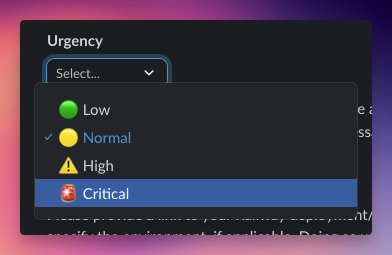
This feature is also available on Central Station for Business Class customers:
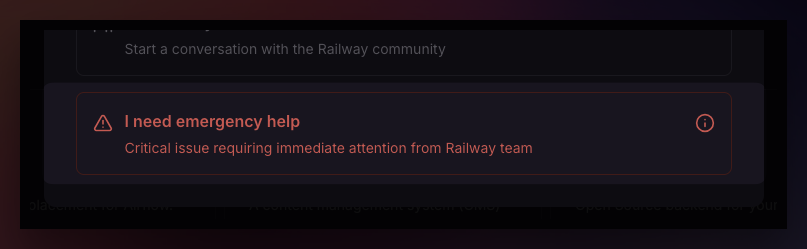
Opening a Critical ticket allows you to page Railway's support on-call directly for an immediate response. Please only use this for production outages or critical platform issues preventing your team from using Railway.
Definition of priorities
| Priority | Surface Areas |
|---|---|
| 1 | Outages that impact production. This covers the following components: incidents declared on status.railway.com including and especially incidents with end-customer impact (e.g. inability to login to the Dashboard), customer workload-impacting issues due to high load requiring intervention from Railway (e.g. requiring additional resources beyond your current limits). |
| 2 | Issues related to Railway features. This covers features offered by Railway, including but not limited to the Dashboard, CLI, and platform-level features such as Deployments, Environments, Private Networking, Volumes. |
| 3 | Integration work and general questions related to Railway. This covers customer-related requests involving integrating Railway with other services (e.g. fronting your Railway workload with a DDoS protection service), leveraging tools to use Railway the way you like (e.g. IaC provisioning/Terraform), or questions about Railway features or its platform. |
Business class response hours
We offer support during business hours, and prioritize requests from Business Class customers:
- Business hours are Monday through Friday, 9am to 9pm Pacific Time
- Exceptions apply to Railway's business hours during P1 outages where the team will be on-call 24/7
- The team may reply outside of business hours, but we do not guarantee a response outside of business hours
Business class resource limits
For Business Class customers, Railway increases resource limits beyond the standard limits on a need-based basis. Contact the team through your dedicated communication channel to increase limits.
Uptime calculation
As part of this offering, we agree to provide a monthly summary on the uptime of the components of Railway. Customers are provided an RCA to any outages on the Routing Layer.
Compliance & audits
Security audits can be provided by request. For most customers, we can provide Railway's security and compliance documentation can be accessed via Railway's Trust Center at trust.railway.com. Please sign in with your Railway account's email address to access Trust Center.
Enterprise
For enterprises, we offer everything in Business Class along with custom support tailored to your needs. Railway can enter into a contractual SLA under Railway's negotiated pricing offering. Reach out to us at team@railway.com for more information.