The Basics
This document outlines the core concepts of Railway, providing foundational knowledge of the basic building blocks you'll work with in the platform.
In a nutshell
- Dashboard - Main entrypoint for all projects under your account.
- Project - A collection of services under the same network.
- Project Settings - Contains all project-level settings.
- Service - A target for a deployment source (e.g. Web Application).
- Service Variables - A collection of configurations and secrets.
- Backups - A collection of backups for a service.
- Service Metrics - Rundown of metrics for a service.
- Service Settings - Contains all service-level settings.
- Deployment - Built and deliverable unit of a service.
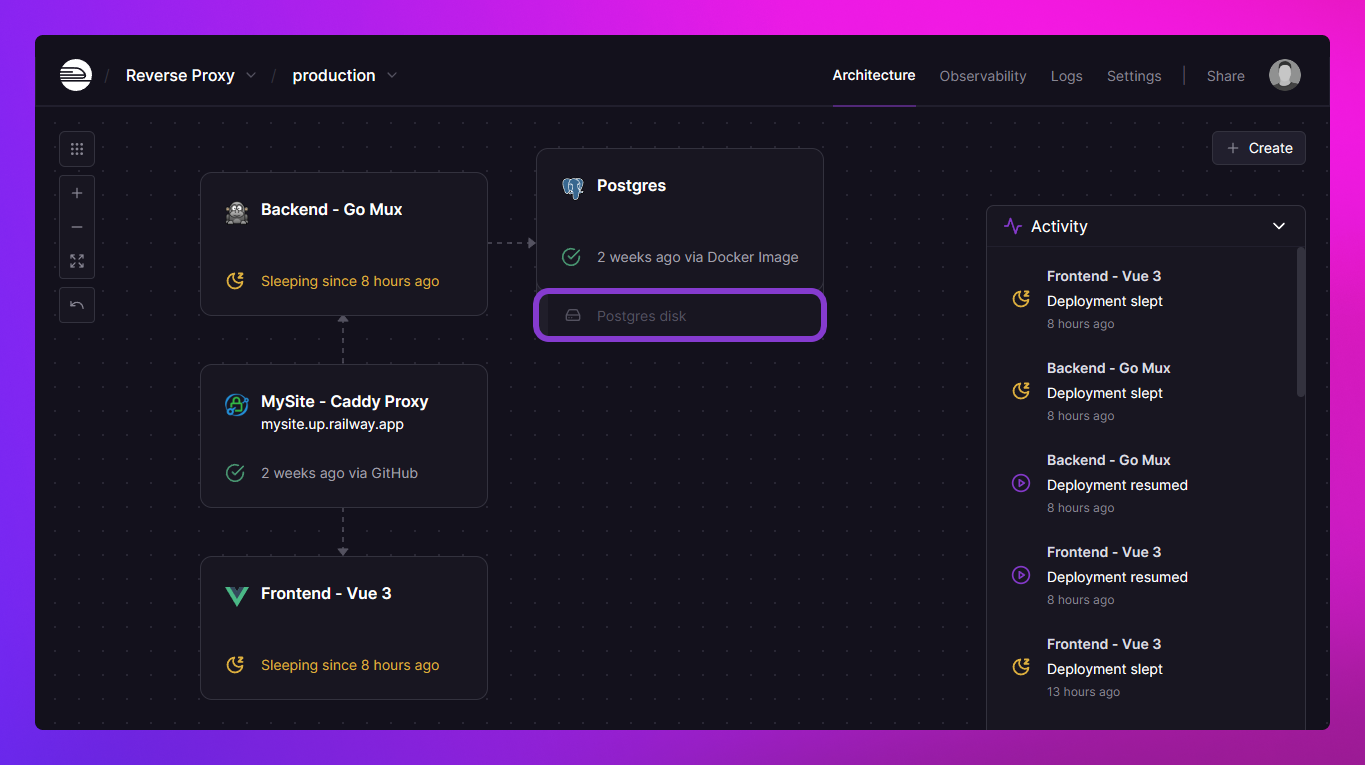
- Volumes - Persistent storage solution for services.
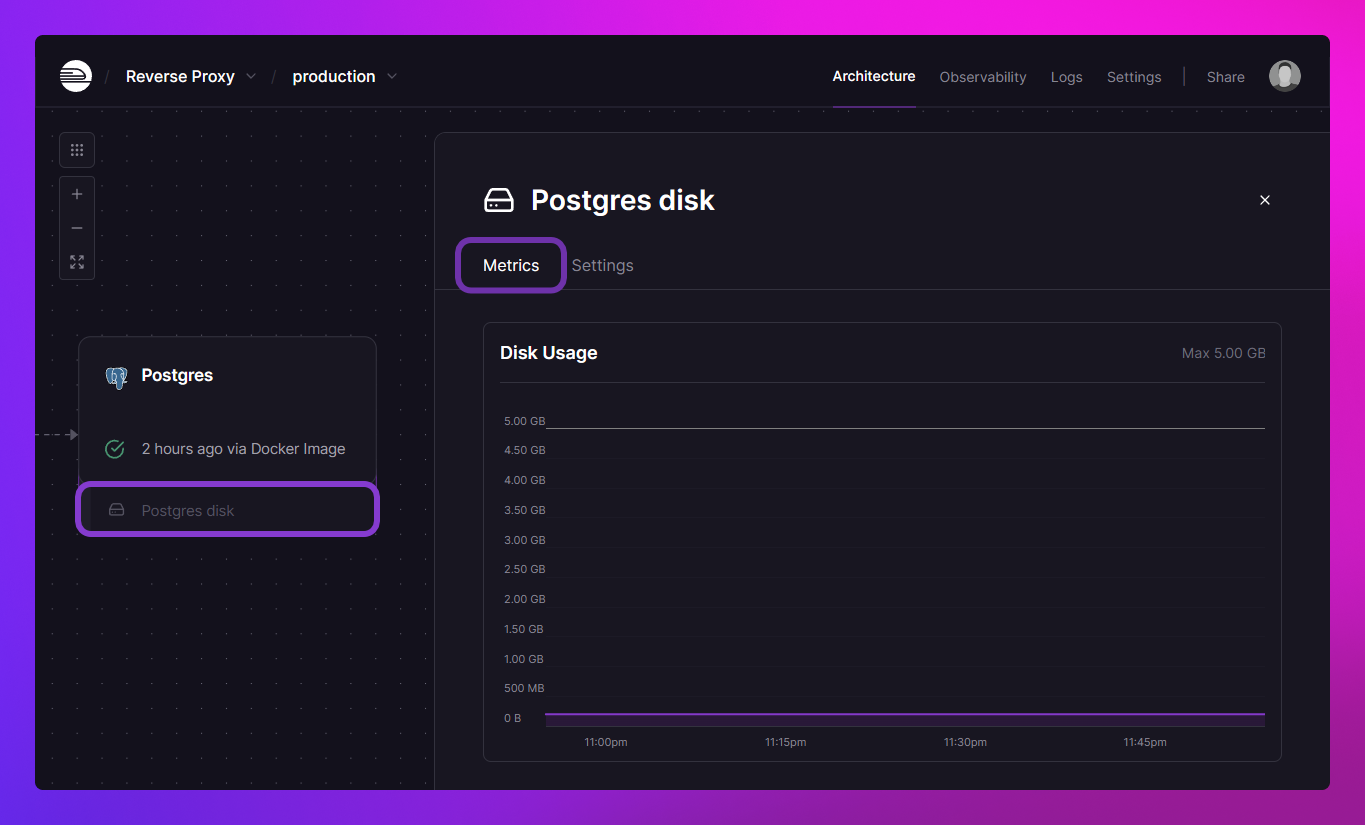
- Volume Metrics - Rundown of metrics for volumes (e.g. disk usage over time).
- Volume Settings - Contains all volume-level settings.
Dashboard / projects
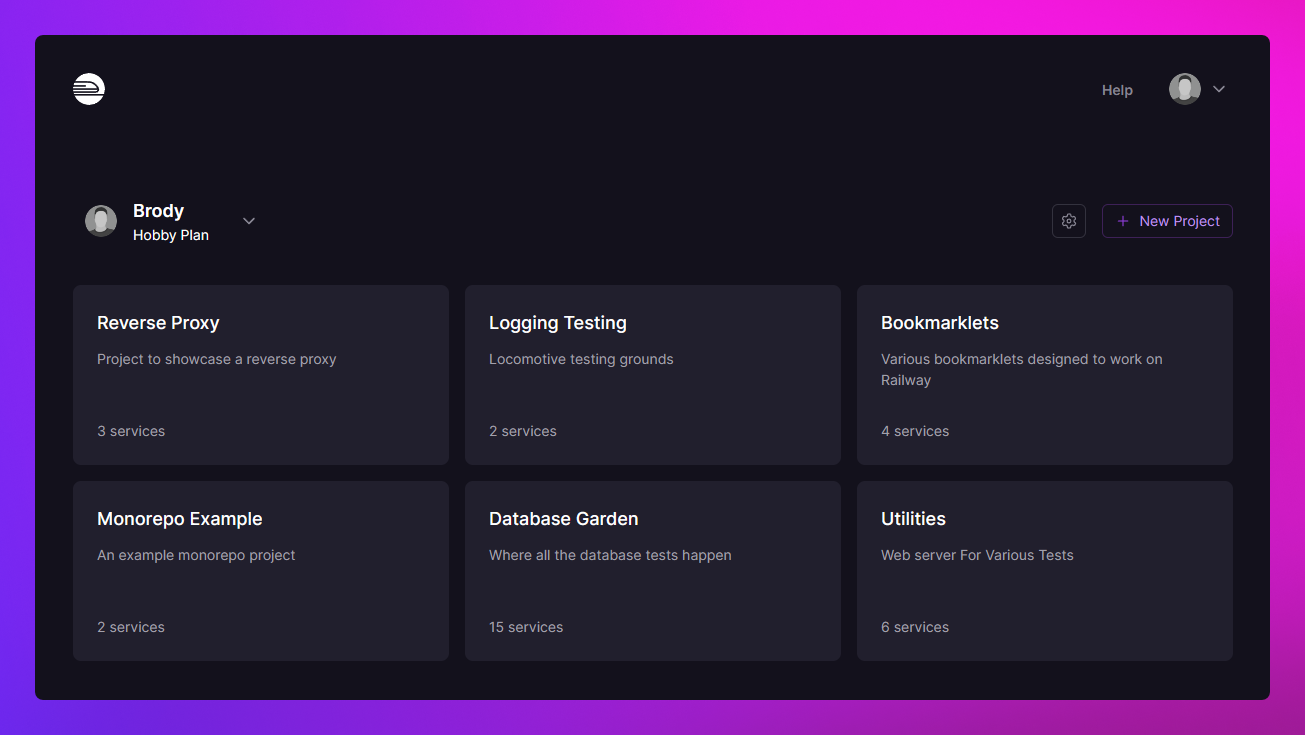
Your main entrypoint to Railway where all your projects are shown in the order they were last opened.
Projects contain your services and environments.
Project / project canvas
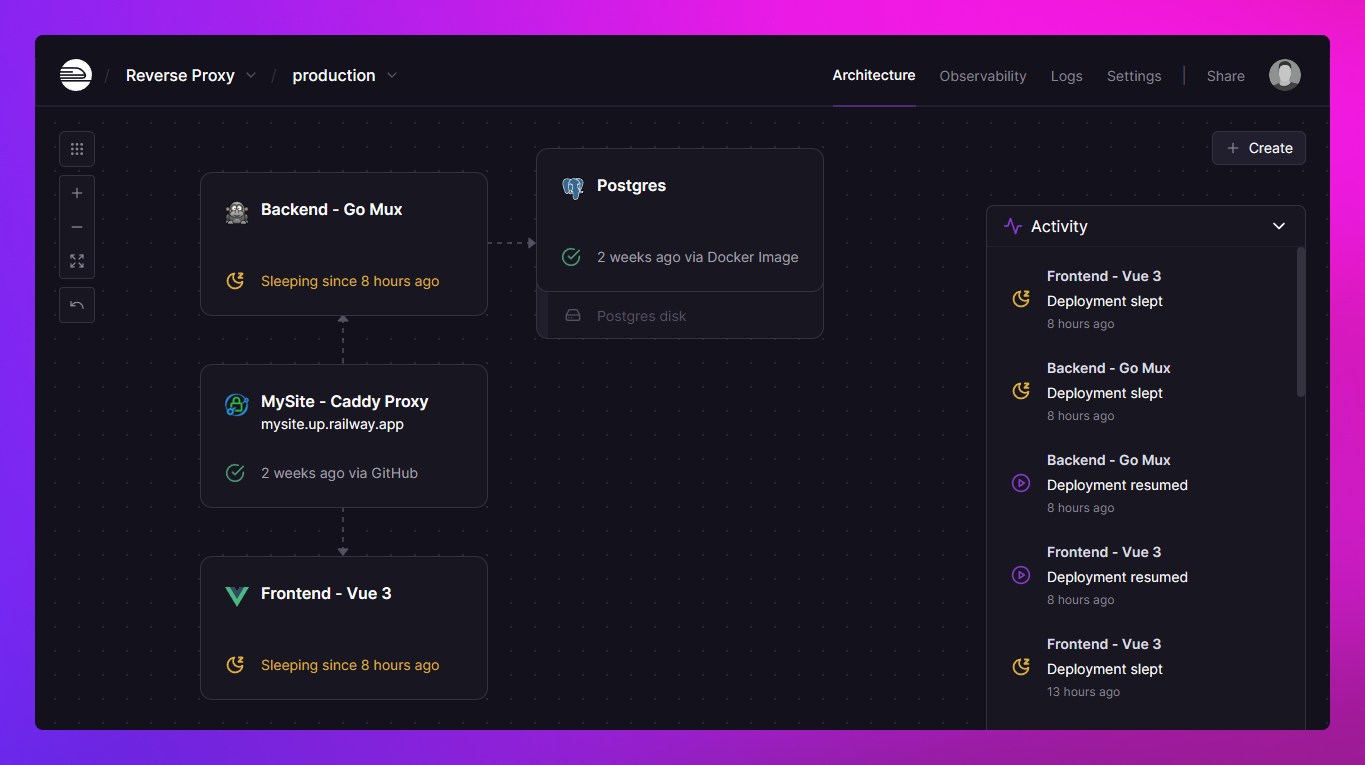
A project represents a capsule for composing infrastructure in Railway. You can think of a project as an application stack, a service group, or even a collection of service groups.
Services within a project are automatically joined to a private network scoped to that project.
Project settings
This page contains all the project level settings.
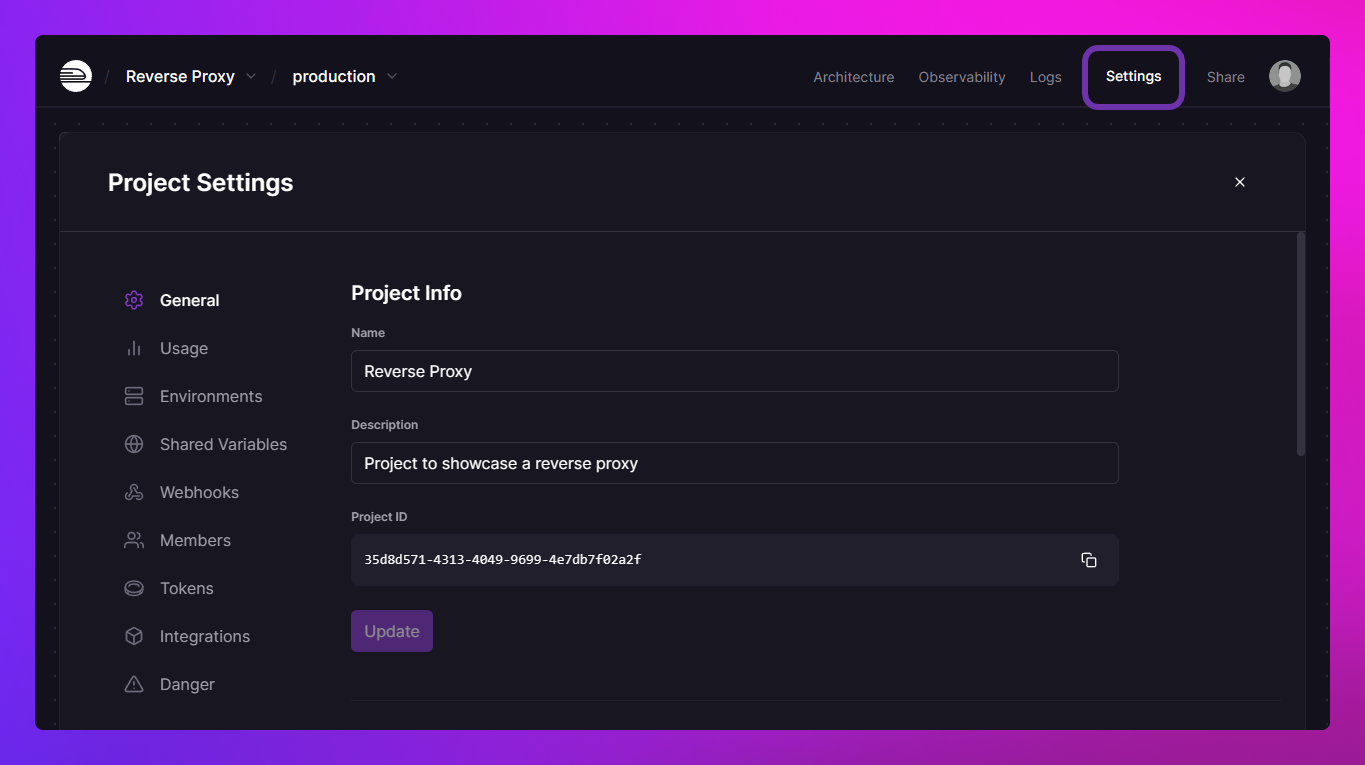
Some of the most commonly used project settings are -
-
Transfer Project - Transfer your project between workspaces.
-
Environments - Manage various settings regarding environments.
-
Members - Add or remove members to collaborate on your project.
-
Danger - Remove individual services or delete the entire project.
Services
A Railway service is a deployment target for your deployment source. Deployment sources can be code repositories or Docker Images. Once you create a service and choose a source, Railway will analyze the source, build a Docker image (if the source is a code repository), and deploy it to the service.
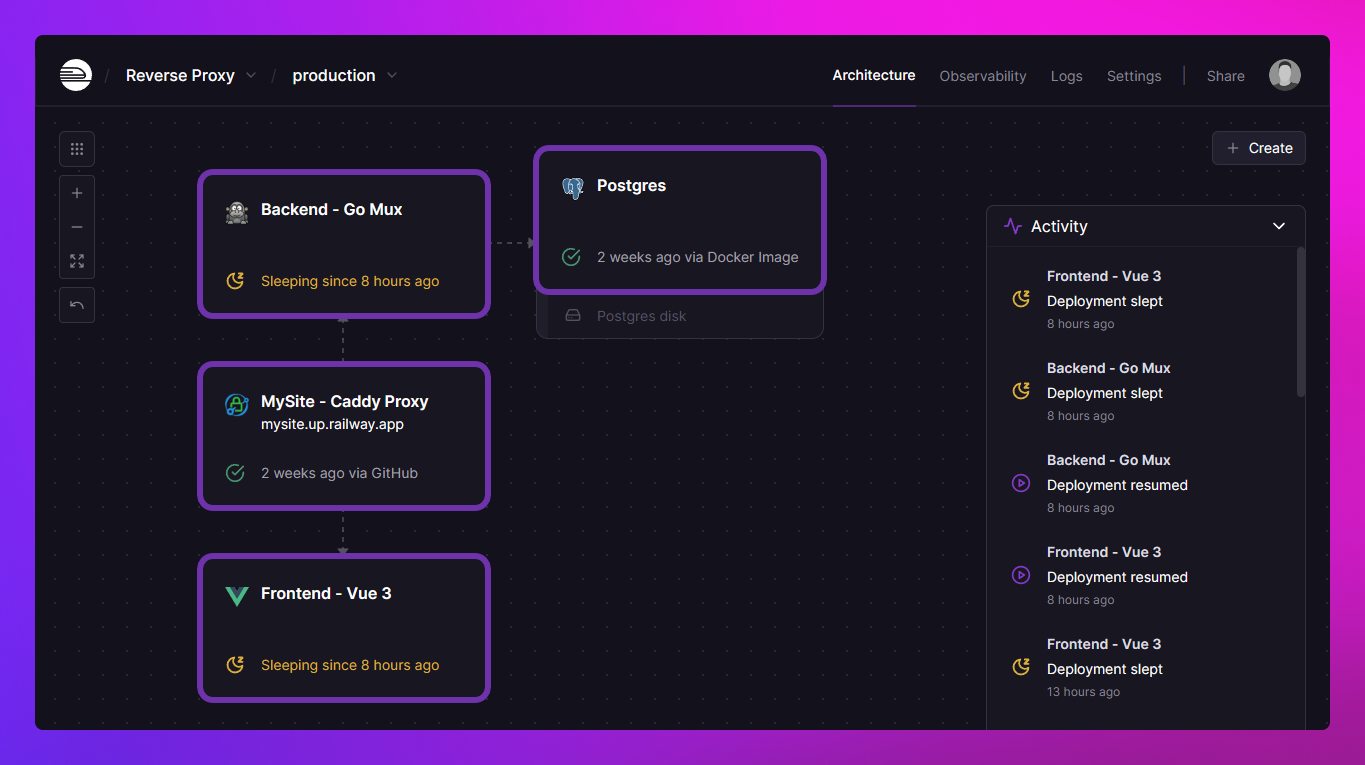
Out of the box, your service is deployed with a set of default configurations which can be overridden as needed.
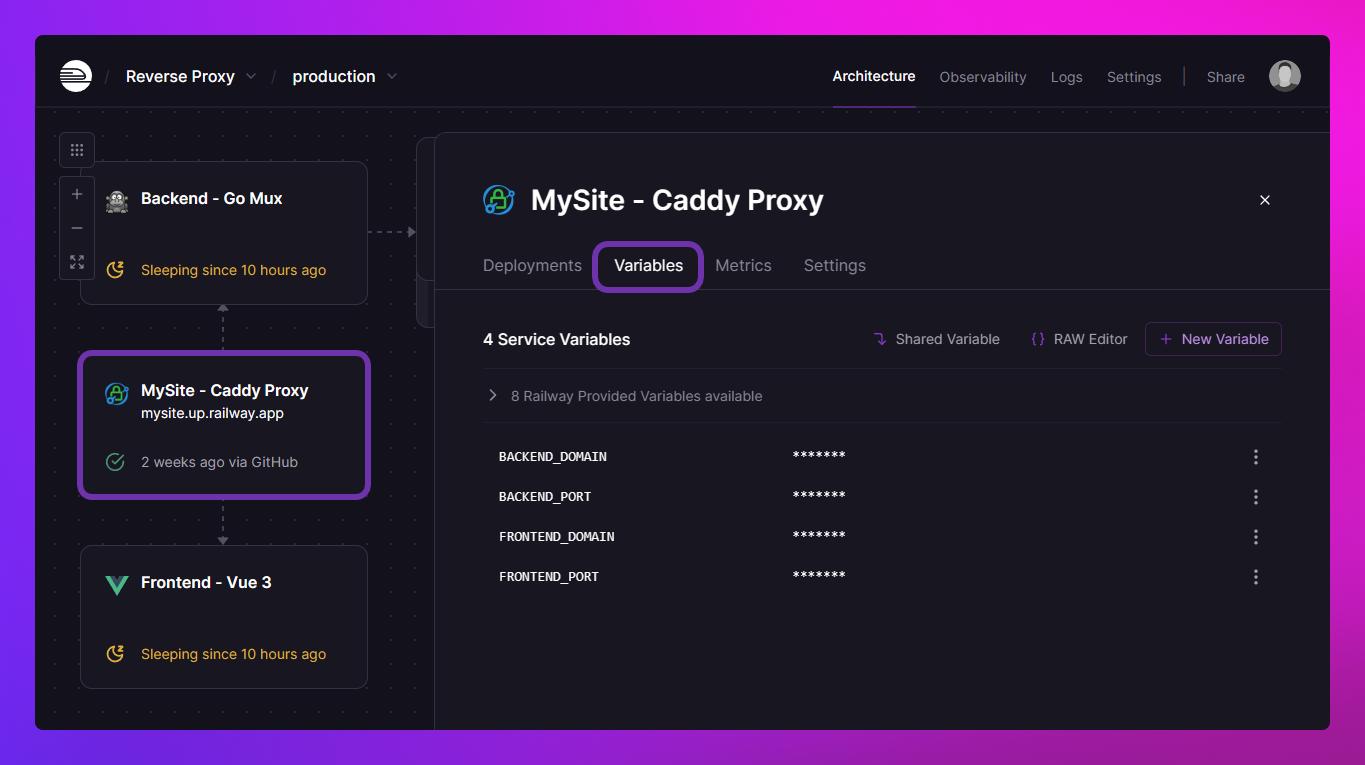
Service variables
Service Variables provide a powerful way to manage configuration and secrets across services in Railway.
You can configure variables scoped to services. These variables are specific to each service and are not shared across the project by default.
If you want to access variables from this service in another service within the same project, you need to utilize a Reference Variable.
Backups
If your service has a volume attached, this is where you can manage backups.
Backups are incremental and Copy-on-Write, we only charge for the data exclusive to them, that aren't from other snapshots or the volume itself.
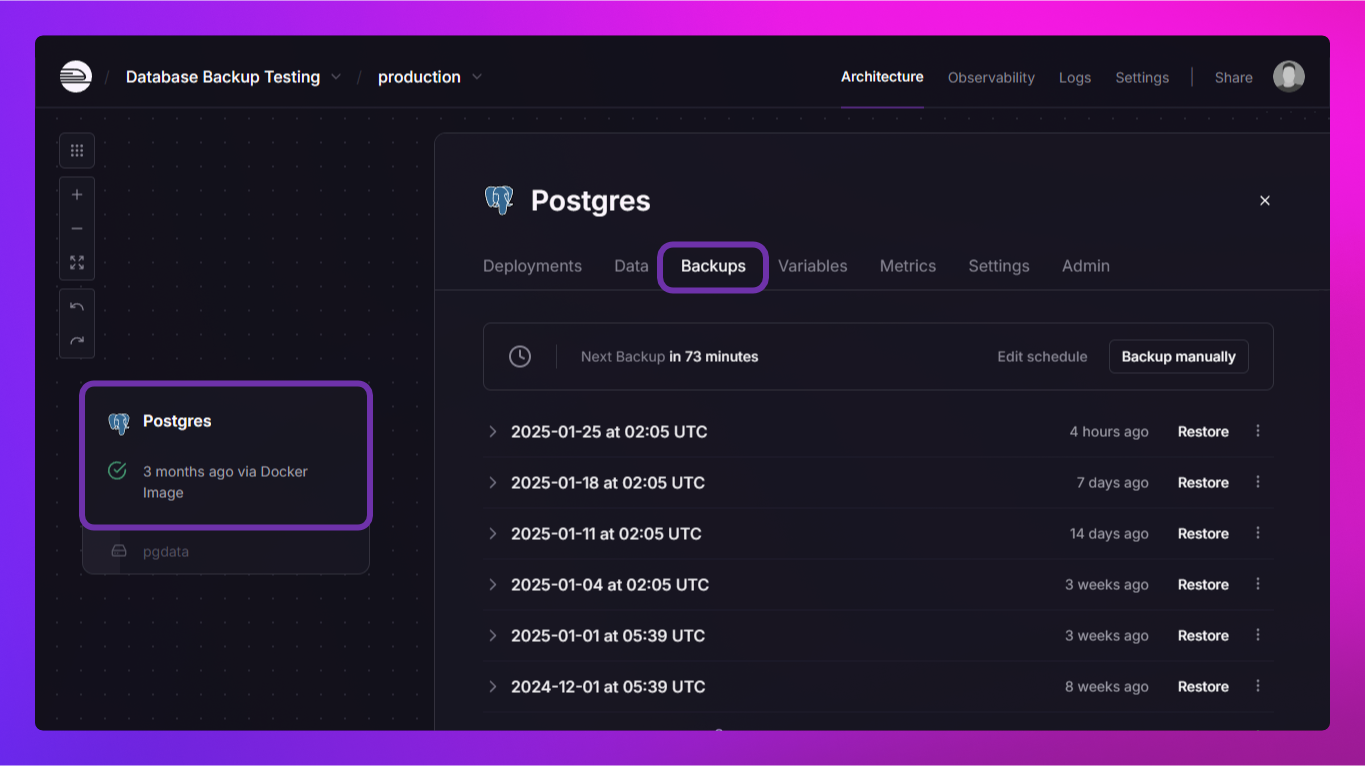
From here you can perform the following actions -
-
Create a backup - Manually create a backup of the volume with a press of a button.
-
Delete a backup - Remove a backup from the list via the backup's 3-dot menu.
-
Lock a backup - Prevent a backup from being deleted via the backup's 3-dot menu.
-
Restore a backup - Click the
Restorebutton on the backup. -
Modify the backup schedule - Click the
Edit schedulebutton on the header to make changes to the schedule.
Service metrics
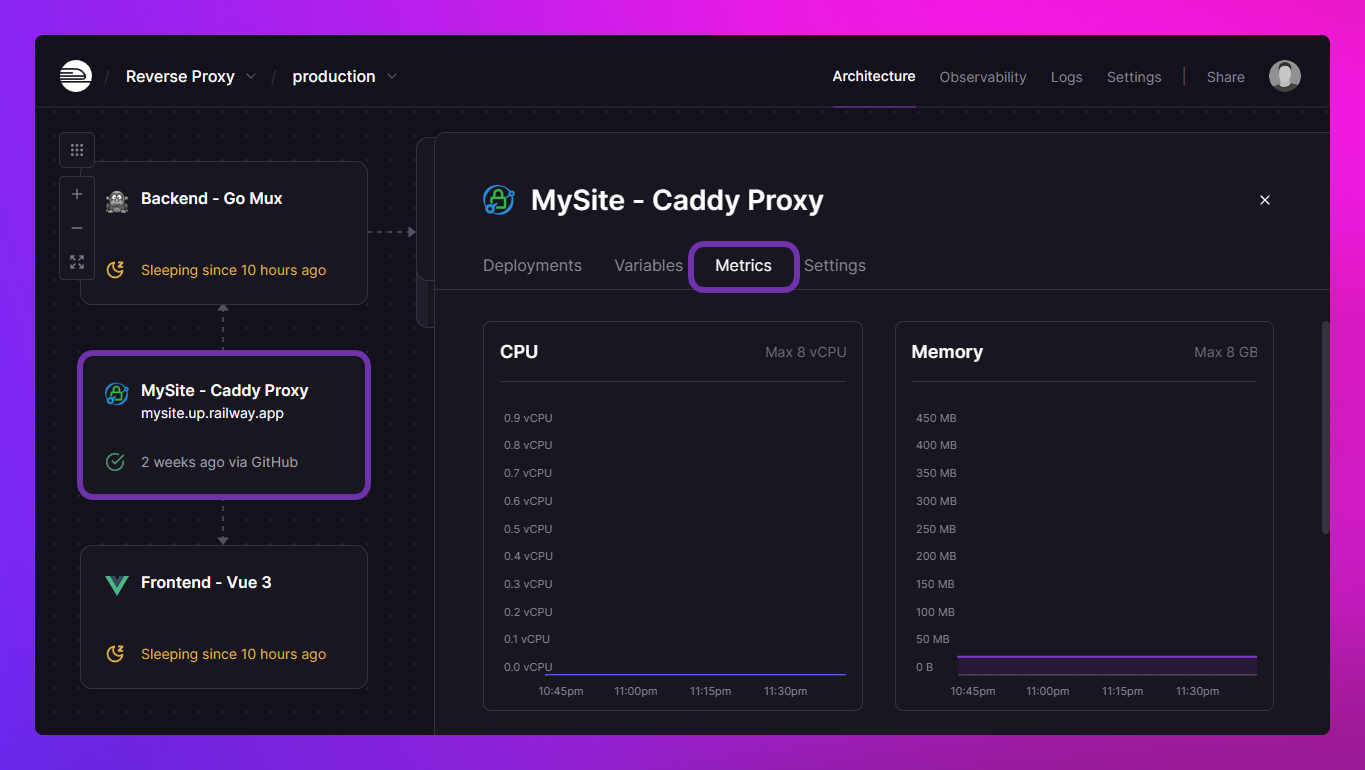
Service Metrics provide an essential overview of CPU, memory, and network usage for a given service.
Service settings
This tab contains all the service level settings.
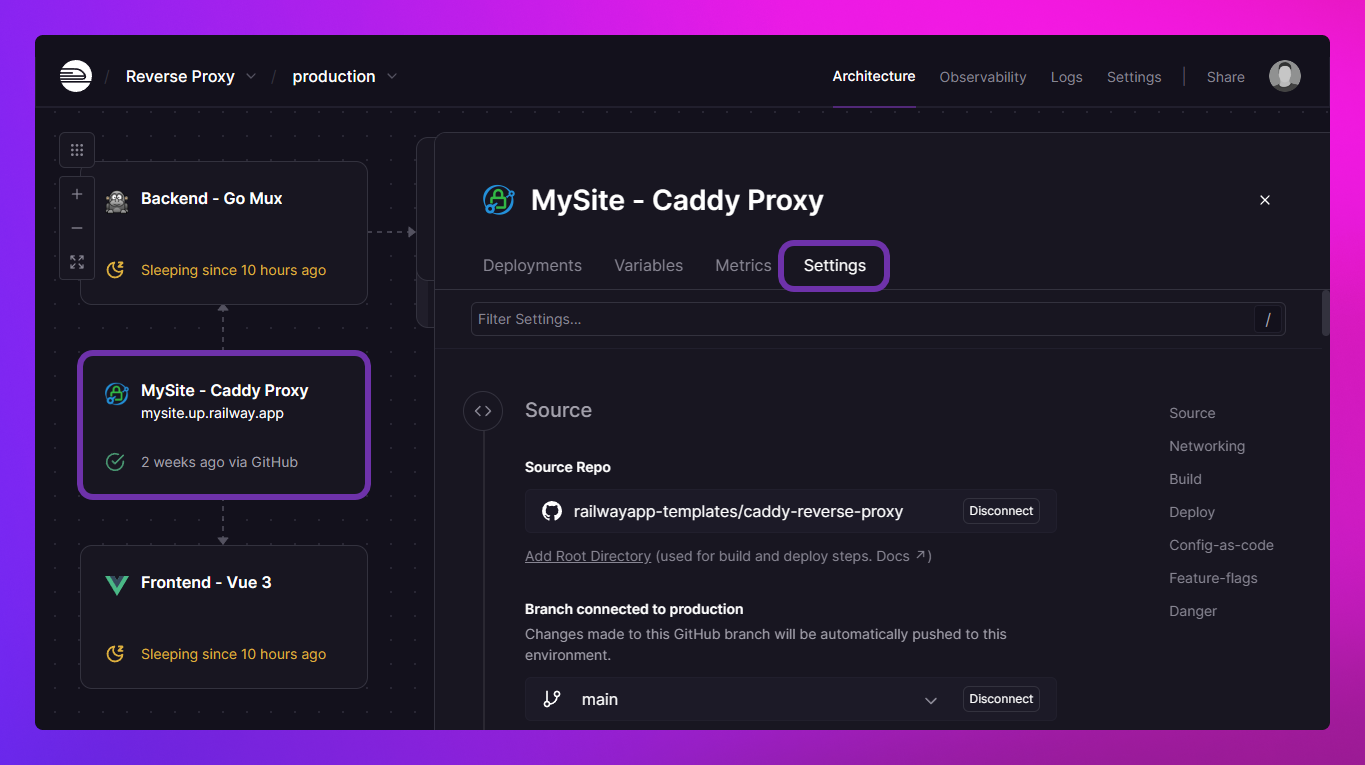
Some of the most commonly used service settings are -
-
Source - Here you can configure the deployment source, which can be either a GitHub repository with a specific branch or an image with optional credentials.
-
Networking - Generate a Railway-provided domain or add your own custom one.
-
Custom Build Command - Here you can configure a custom build command if you need to overwrite the default.
-
Custom Start Command - Here, you can configure a custom start command if you need to overwrite the default.
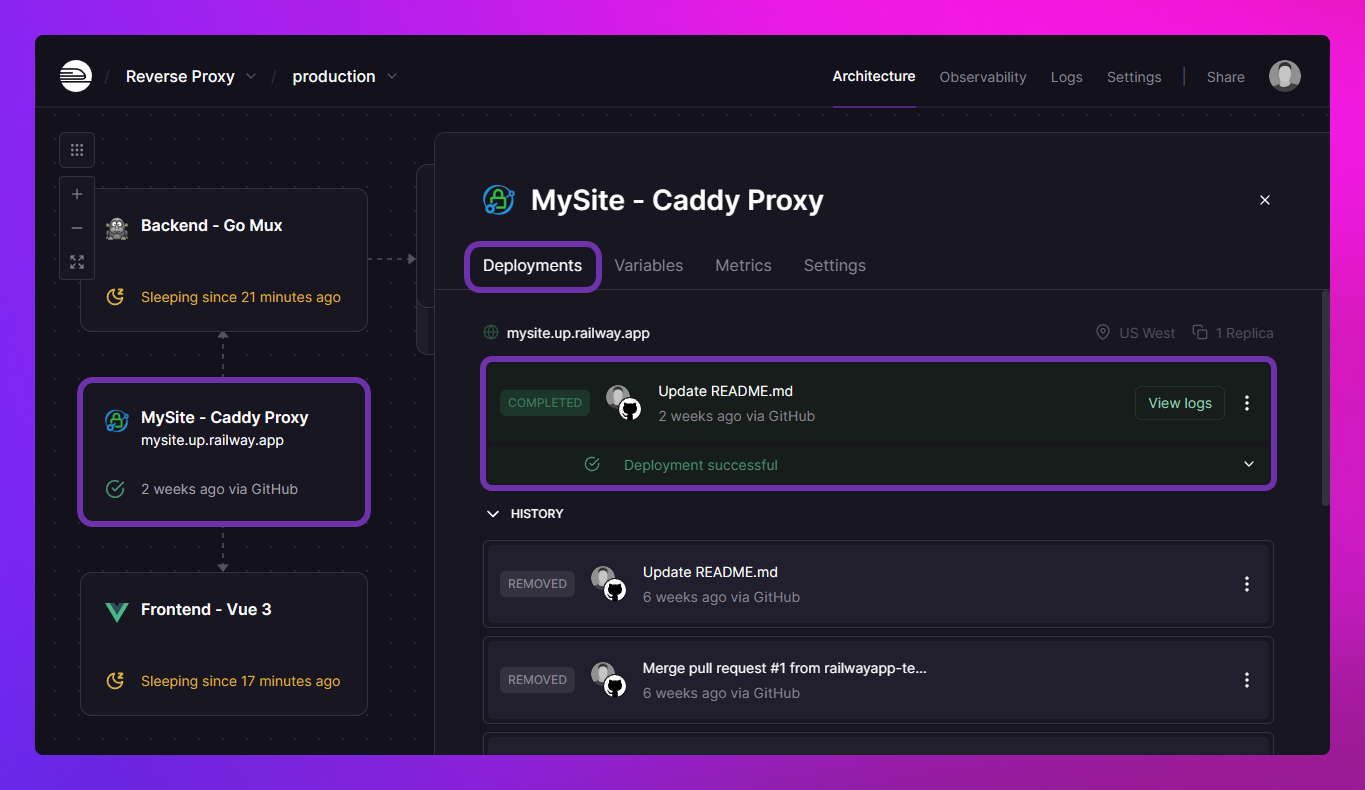
Deployments
Deployments involve building and delivering your Service.
Volumes
Volumes are a feature that allows services on Railway to maintain persistent data.
Volume metrics
Volume Metrics show the amount of data stored in the volume and its maximum capacity.
Volume settings
This tab contains all the volume centric settings.
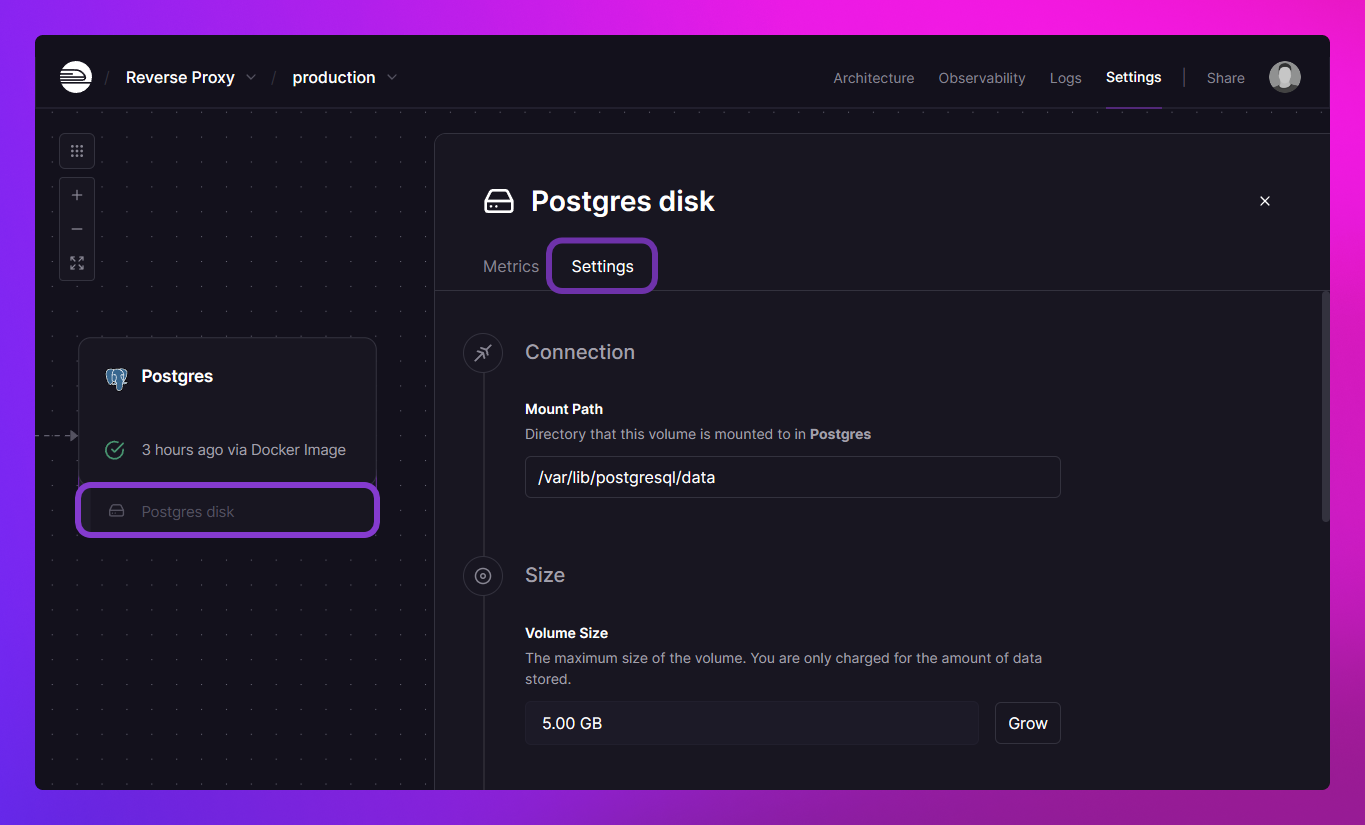
Some of the most commonly used volume settings are -
-
Mount path - The absolute path where the volume will be mounted within the deployed service.
-
Volume Size - Displays the current volume capacity and offers the option to expand it if your plan permits.
-
Wipe Volume - This action wipes all data in the volume and then redeploys the connected service.
What next?
If you've read enough for now and are ready to get started, check out either of these two resources next -
-
Quick Start guide to deploy a To Do app from a template.
-
Guides section to dive into how things work.
If you want to go deeper, click the Next button below to head to the next section - Advanced Concepts.