MySQL
The Railway MySQL database template allows you to provision and connect to a MySQL database with zero configuration.
This deploys a single node that Railway maintains. For a managed database with automatic failover, convert it to high availability, then turn on backups or point-in-time recovery. What Railway manages lists who handles each operation.
Deploy
Add a MySQL database to your project via the ctrl / cmd + k menu or by clicking the + New button on the Project Canvas.
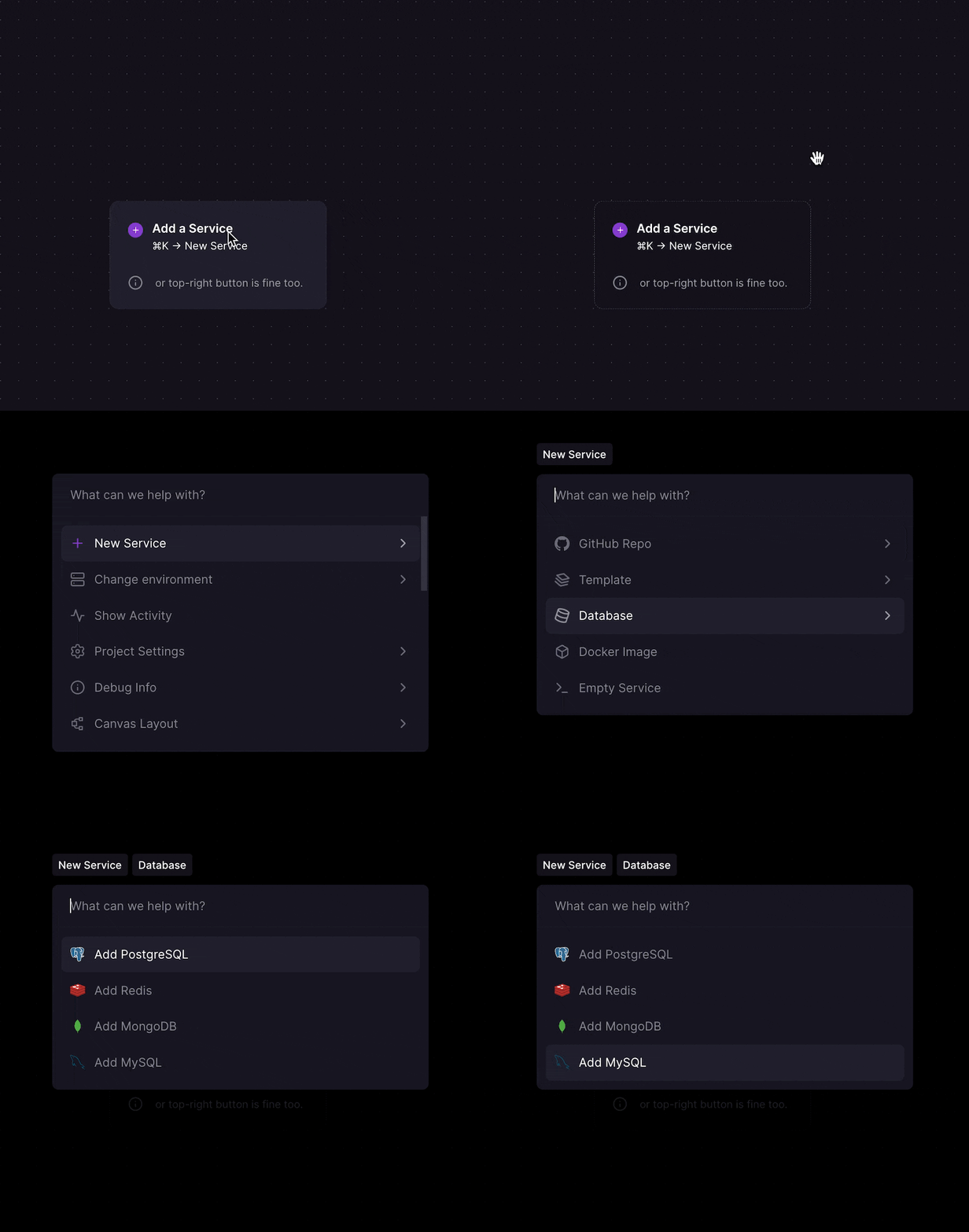
You can also deploy it via the template from the template marketplace.
Deployed service
Upon deployment, you will have a MySQL service running in your project, deployed directly from the mysql Docker image.
Connect
Connect to MySQL from another service in your project by referencing the environment variables made available in the MySQL service:
MYSQLHOSTMYSQLPORTMYSQLUSERMYSQLPASSWORDMYSQLDATABASEMYSQL_URL
Connecting externally
It is possible to connect to MySQL externally (from outside of the project in which it is deployed). Databases are deployed private by default — to expose one, open the service's Settings → Networking and add Public Access. This creates a TCP Proxy and populates a MYSQL_PUBLIC_URL variable with the external connection string.
Keep in mind that you will be billed for Network Egress when using the TCP Proxy.
Modify the deployment
Since the deployed container is pulled from the official MySQL image in Docker hub, you can modify the deployment based on the instructions in Docker hub.
High availability
An existing MySQL service can be converted into a high-availability cluster with automatic failover, backed by Group Replication and HAProxy. See Upgrading MySQL to High Availability for the full guide.
Backups and observability
Especially for production environments, performing regular backups and monitoring the health of your database is essential. Consider adding:
-
Backups: Automate regular backups to ensure data recovery in case of failure. We suggest checking out the native Backups feature.
-
Point-in-time recovery: Restore to any moment in the last 7 days, not just to a backup, by turning on continuous binlog archiving from the Backups tab. Works on single-node MySQL and on MySQL HA clusters. See Point-in-Time Recovery.
-
Observability: Implement monitoring for insights into performance and health of your databases. If you're not already running an observability stack, check out these templates to help you get started building one:
Additional resources
Railway maintains this template; what Railway manages lists which operations Railway handles and which are yours. Changing the template as shipped, such as its image, start command or variables, makes the database yours to manage; see database support scope.
We strongly encourage you to refer to the source documentation to gain deeper understanding of their functionality and how to use them effectively. Here are some links to help you get started: