TCP Proxy
TCP Proxy enables you to expose non-HTTP services to the internet or make them accessible across your private network. This is useful for services like databases, game servers, or any application that communicates over raw TCP.
How it works
Enabling TCP Proxy on a service requires specification of a port to which the traffic should be proxied. Railway then generates a domain and proxy port, and all traffic sent to domain:port will be proxied to the service.
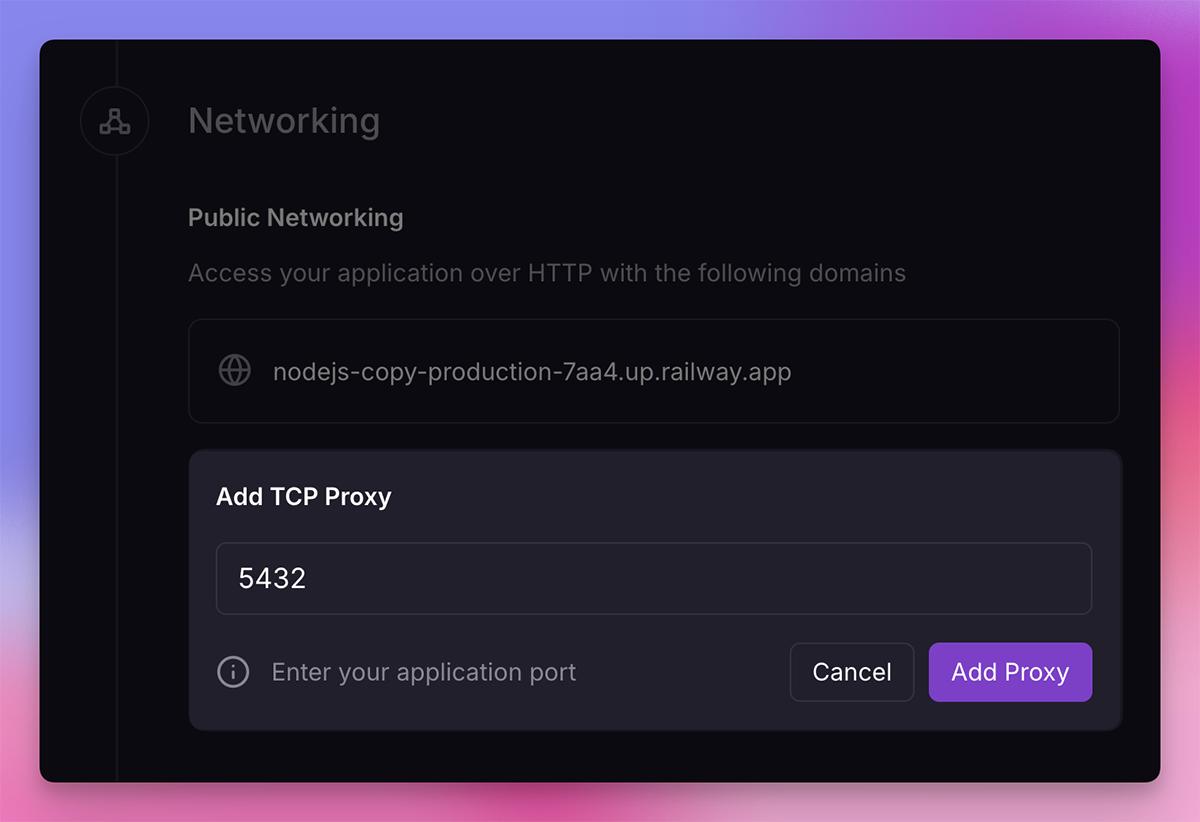
Setting up TCP proxy
To create a TCP proxy:
- Navigate to your service's Settings
- Find the Networking section
- Click on TCP Proxy
- Enter the internal port your service listens on
- Railway will generate a proxy domain and port (e.g.,
shuttle.proxy.rlwy.net:15140)
Load balancing
Incoming traffic will be distributed across all replicas in the closest region using a random load balancing algorithm.
Use cases
TCP Proxy is commonly used for:
- Databases - Expose PostgreSQL, MySQL, Redis, or other databases for external access
- Game servers - Allow players to connect directly via TCP
- Custom protocols - Any service using a non-HTTP protocol
- IoT devices - Connect devices that communicate over raw TCP
Using a custom domain for TCP proxying
You can use your own domain instead of Railway's provided TCP proxy domain.
To set this up:
-
Create a TCP proxy in your service settings. Railway will provide you with a proxy domain and port (e.g.,
shuttle.proxy.rlwy.net:15140). -
In your DNS provider, create a CNAME record pointing to the Railway-provided TCP proxy domain (without the port).
For example, if Railway provides
shuttle.proxy.rlwy.net:15140:- Name:
db.yourdomain.com(or your preferred subdomain) - Target:
shuttle.proxy.rlwy.net
- Name:
-
Connect to your service using your custom domain with the Railway-provided port (e.g.,
db.yourdomain.com:15140).
Note: The port number is provided by Railway and must be used when connecting. Only the hostname is replaced with your custom domain.
Caveats:
- If using Cloudflare, proxying must be disabled (DNS only, grey cloud).
- If your client validates or looks for a specific hostname in the connection, it may fail when using a custom domain.
Using HTTP and TCP together
Railway supports exposing both HTTP and TCP over public networking in a single service. If you have a domain assigned, you will still see the option to enable TCP Proxy, and vice-versa.
TCP with private networking
TCP Proxy can also be used in conjunction with Private Networking for internal service-to-service communication. Services within the same project or environment can communicate over TCP using internal DNS names without exposing traffic to the public internet.
Troubleshooting
Having issues with your TCP proxy? Check out the Troubleshooting guide or reach out on Central Station.