Preview Deployments with PR Environments
PR Environments in Railway let you and your team preview code changes in isolated, temporary environments before deploying to staging or production. Unlike permanent staging environments where many changes are previewed and tested together, PR Environments only deploy the changes from a single GitHub branch.
- For backend changes, a temporary PR Environment is useful when you want to do testing that isn't captured by code-level unit tests, such as running a larger integration test suite or manual sanity checking.
- For frontend services, a real, working copy of your application with changes applied can be shared with non-technical colleagues or customers for feedback, without setting up new infrastructure manually.
With PR Environments enabled in your project, Railway automatically provisions all relevant infrastructure whenever a new PR is opened against a linked repository in GitHub. After the PR is merged or closed, Railway de-provisions all services in the PR Environment, keeping your environments list tidy and reducing unnecessary infrastructure spend.
Types of PR Environments
Railway supports several flavors of PR Environments depending on the size and complexity of your project. Many platforms have a version of PR Environments. You may know them as deploy previews, preview environments, branch deployments, or review apps.
PR Environments
The standard PR Environment replicates your entire base environment, including services, networking, and variables, into an isolated ephemeral environment for each PR. By default, this base is your production environment, but you can change which environment PR Environments inherit from in your Railway project settings. This is useful if you maintain a persistent staging environment with variables and services you'd like to reuse during preview, rather than cold-starting from your production config.
If your base environment changes after a PR Environment has already been provisioned, you can sync those changes down into the PR Environment without closing and reopening the PR.
Focused PR Environments
For larger repos, spinning up your full stack for every PR is often overkill. Focused PR Environments let you define watch paths per service, so Railway only deploys the services whose code actually changed in the PR.
For example, if your monorepo has a frontend and a backend service, a PR that only touches frontend/ doesn't need to provision a new backend. Configure watch paths in your service settings, and Railway skips services with no matching changes, keeping build times short and resource usage low.
Bot PR Environments
If your repository receives automated PRs from GitHub bots, you probably don't want each one spinning up a full environment. By default, Railway won't create PR Environments for bot-opened PRs, but you can opt in by enabling Bot PR Environments in project settings. Railway supports a number of popular bots, including Dependabot, Renovate, GitHub Copilot, Claude Code, Devin, and Jules.
Set up PR Environments
Setting up PR Environments for your Railway project is straightforward. This guide assumes you have an account and project. If you don't yet, check out the quick start.
Enable PR Environments
Enable PR Environments in your project by navigating to Project Settings → Environments and clicking Enable PR Environments.
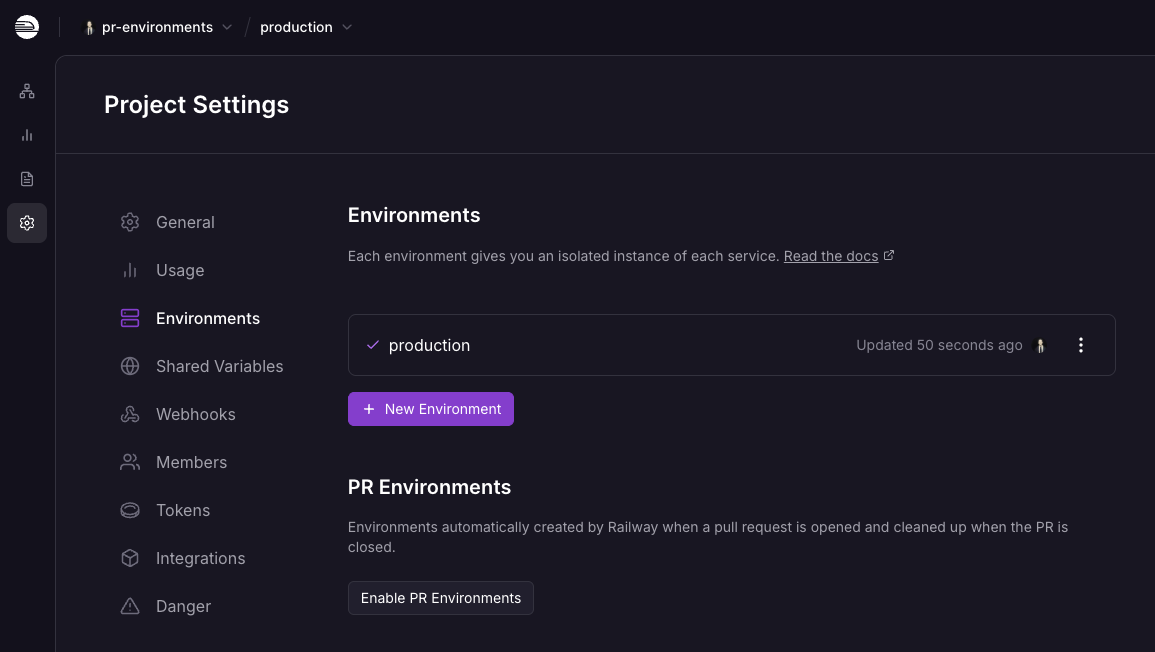
Connect your GitHub account
Ensure your project is connected to your GitHub account by following the connection steps in the quick start. If you'd like to follow along with the example repository, clone it to your GitHub account.
Authenticate the Railway CLI (optional)
If you want to use the CLI to interact with Railway, see the CLI docs.
Guide setup
The example that follows uses a simple full-stack application (a Postgres database, Python API, and React app) that stores and retrieves data about trains. To follow along, link a fork of this repository to your Railway project and provision the appropriate infrastructure, all detailed in the repository's README.
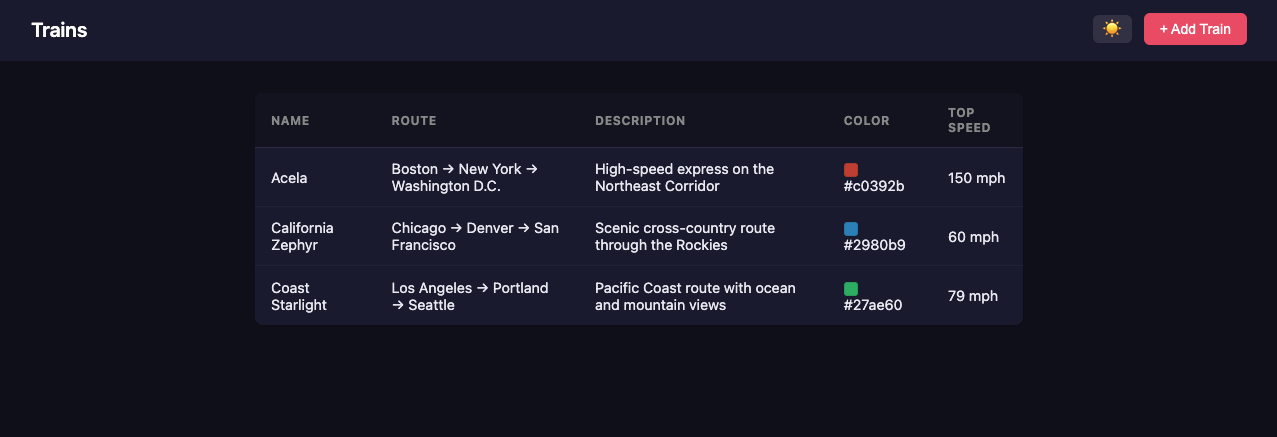
With this project running, you'll have a simple web app hooked up and securely exposed to the internet. Visiting the domain of your frontend service shows the list of trains and lets you add new ones.
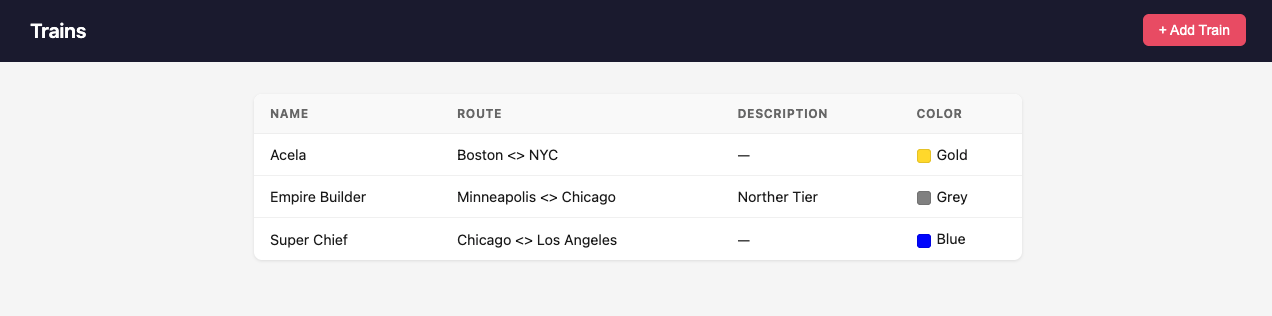
Deploy previews in Railway
If you need to make changes to this app, you could open a PR, have someone review the code, and merge it into permanent infrastructure like a staging or production environment for testing. To test in a dedicated, isolated environment instead, use PR Environments.
If, for example, you need to add support for the top_speed field illustrated in this commit, open a PR with the changes. Because PR Environments are enabled for this project, when the PR opens Railway determines the services present in your production environment (in this case a database, backend service, and frontend service) and replicates them in an isolated ephemeral environment. Railway also gives each service a new URL if you're using Railway-provided domains. The Railway GitHub bot comments when the PR Environment is ready.
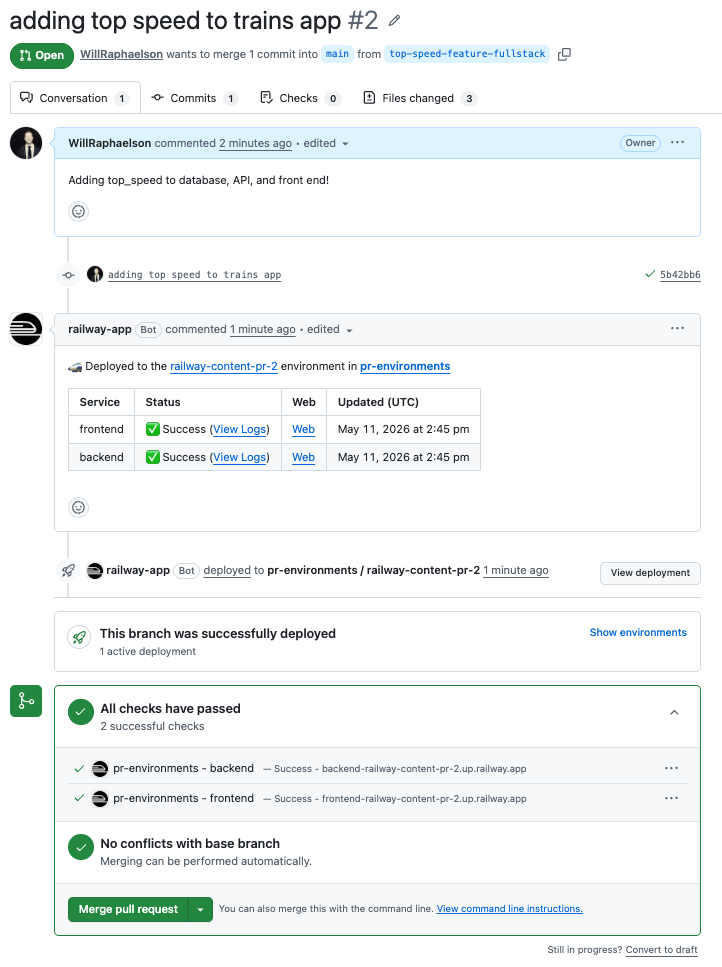
For security reasons, Railway won't deploy a PR branch from a user outside your workspace unless that user has been invited to your project with the GitHub account they used to open the PR.
You can now test your changes against real infrastructure, and share a working preview with colleagues and customers without polluting a permanent environment.
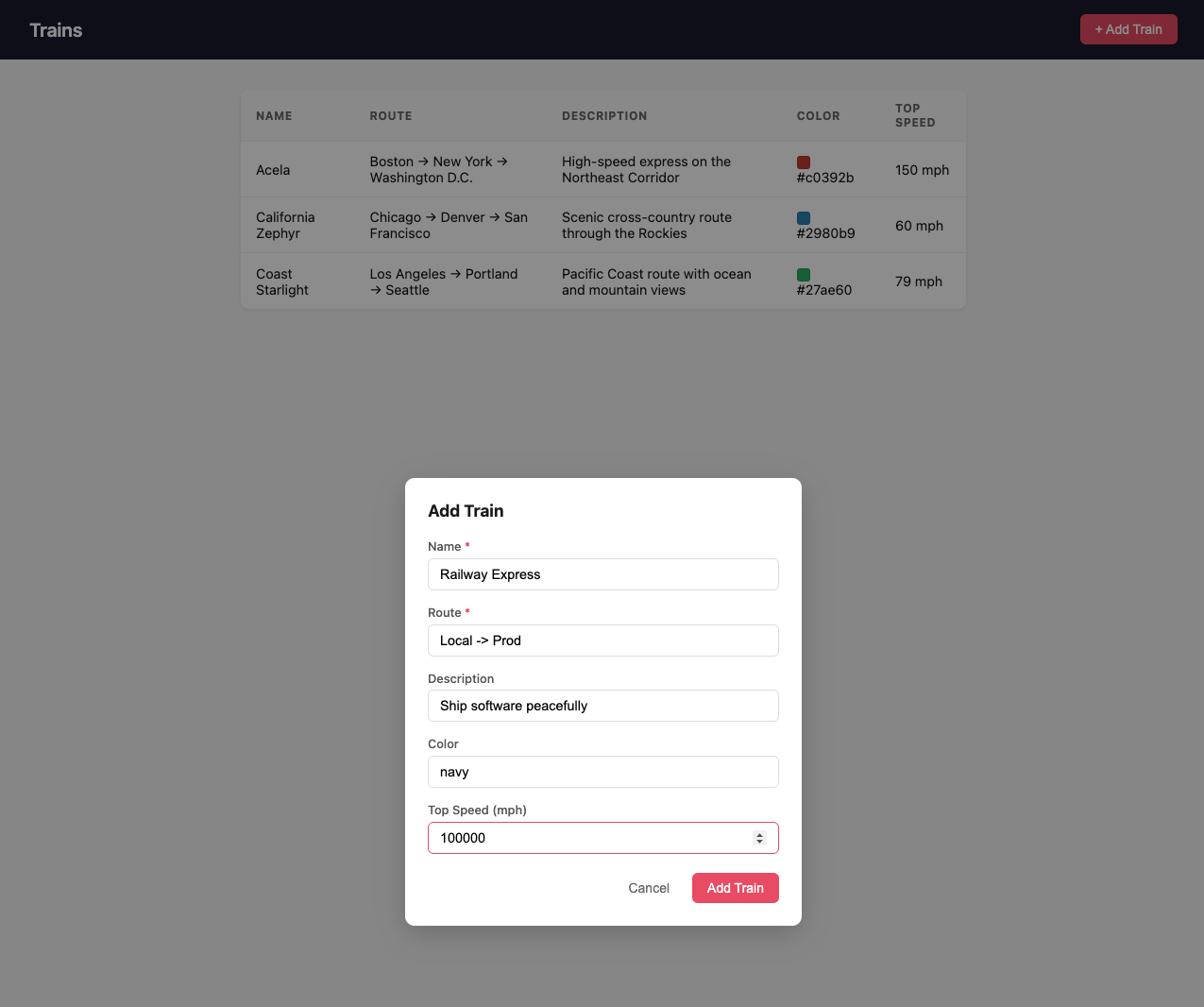
When this PR is merged into main, its infrastructure is deleted and the environment disappears, so your environments list isn't cluttered with old unused infrastructure or incurring costs.
Use Focused PR Environments
The example app is a monorepo, meaning the code for multiple services is colocated in one GitHub repository. This is a popular pattern for its simplicity, but it has a drawback for previews.
By default, PR Environments in Railway detect when PRs are opened and deploy a full copy of your base environment for your deploy preview. For a frontend-only change, building an unchanged backend adds deployment time, and running the extra backend service incurs usage charges. Builds themselves are not billed. Use Focused PR Environments to avoid deploying unnecessary services.
Focused PR Environments only deploy services that have changed. Railway uses watch paths to determine, for each service, which code files should trigger a redeploy of that service during PR Environment spin-up.
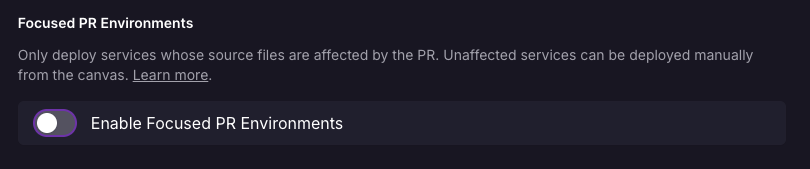
Enable Focused PR Environments by navigating to Project Settings → Environments → PR Environments and toggling Enable Focused PR Environments.
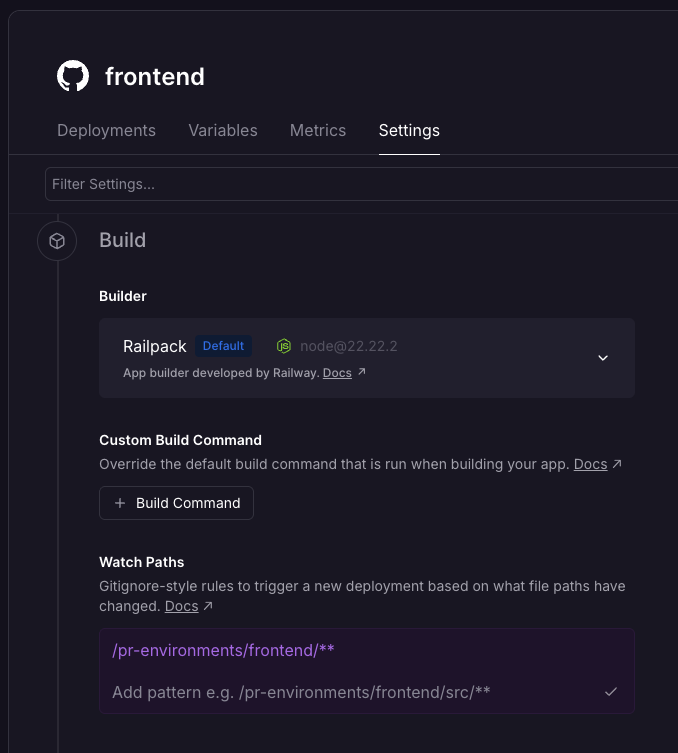
To illustrate, imagine you'd like to add dark mode to the web application, a change that only affects the frontend and doesn't need to redeploy the backend services. To do this, configure the backend service to watch only backend/** and the frontend service to watch only frontend/** by navigating to Canvas → Service → Settings → Build and selecting the appropriate directory pattern.
Now, a commit like this one that adds dark mode redeploys only the services needed, reusing your production backend and serving the new, dark frontend.
Use Bot PR Environments
If your repository sees contributions from bots such as Dependabot, you can control whether PRs opened by supported bots (Dependabot, Renovate, GitHub Copilot, Claude Code, Devin, Jules, and more) trigger PR Environment creation by navigating to Project Settings → Environments → PR Environments and toggling Enable Bot PR Environments.

While any infrastructure created via a PR Environment is automatically destroyed, if you set up new infrastructure to follow along with this guide, delete it manually to avoid incurring charges.
Conclusion
You now have a project that automatically previews every PR in an isolated environment, with Focused PR Environments to keep builds fast in a monorepo and Bot PR Environments to control how bot-opened PRs are handled. If you have any questions or feedback, reach out on Slack or the Central Station.