Audit Logs
Audit logs provide a record of actions performed within your Railway workspace. This includes changes to projects, services, deployments, variables, and workspace settings.
Audit logs can be accessed by workspace admins through the Audit Logs link in the workspace settings.
Audit logs help teams with:
- Security: Track who made changes to sensitive resources like environment variables, integrations, or workspace settings
- Compliance: Maintain records of all changes for regulatory requirements and internal policies
- Troubleshooting: Identify when and how changes were made to diagnose issues
- Team Coordination: Understand what changes team members are making across projects
- Change Management: Review the history of deployments and configuration changes
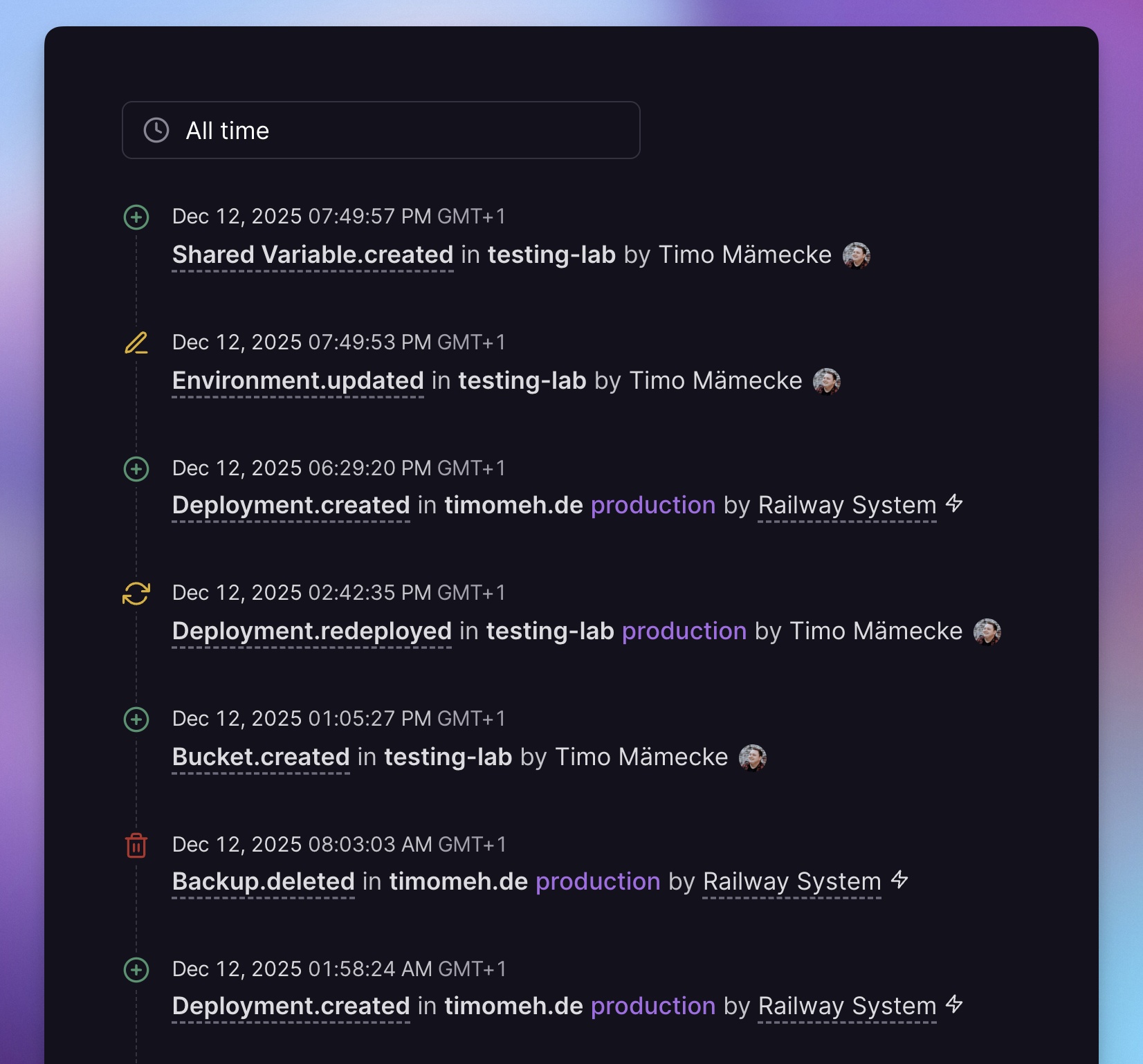
Accessing audit logs
Audit logs are available at the workspace level and can be accessed by workspace admins through the workspace settings page.
To view audit logs:
- Navigate to your workspace dashboard
- Click on Audit Logs in the sidebar
For more information about workspace roles and permissions, see the Workspaces documentation.
Log contents
Each audit log entry contains detailed information about the action that was performed:
- Event Type: The type of action that occurred (e.g., service created, variable updated, deployment triggered)
- Timestamp: When the action was performed
- Workspace: The workspace where the action occurred
- Project: The project affected by the action (if applicable)
- Environment: The environment affected by the action (if applicable)
- Event Data: Specific details about the change, such as resource data that was created, modified, or deleted
- Actor: Information about who or what performed the action
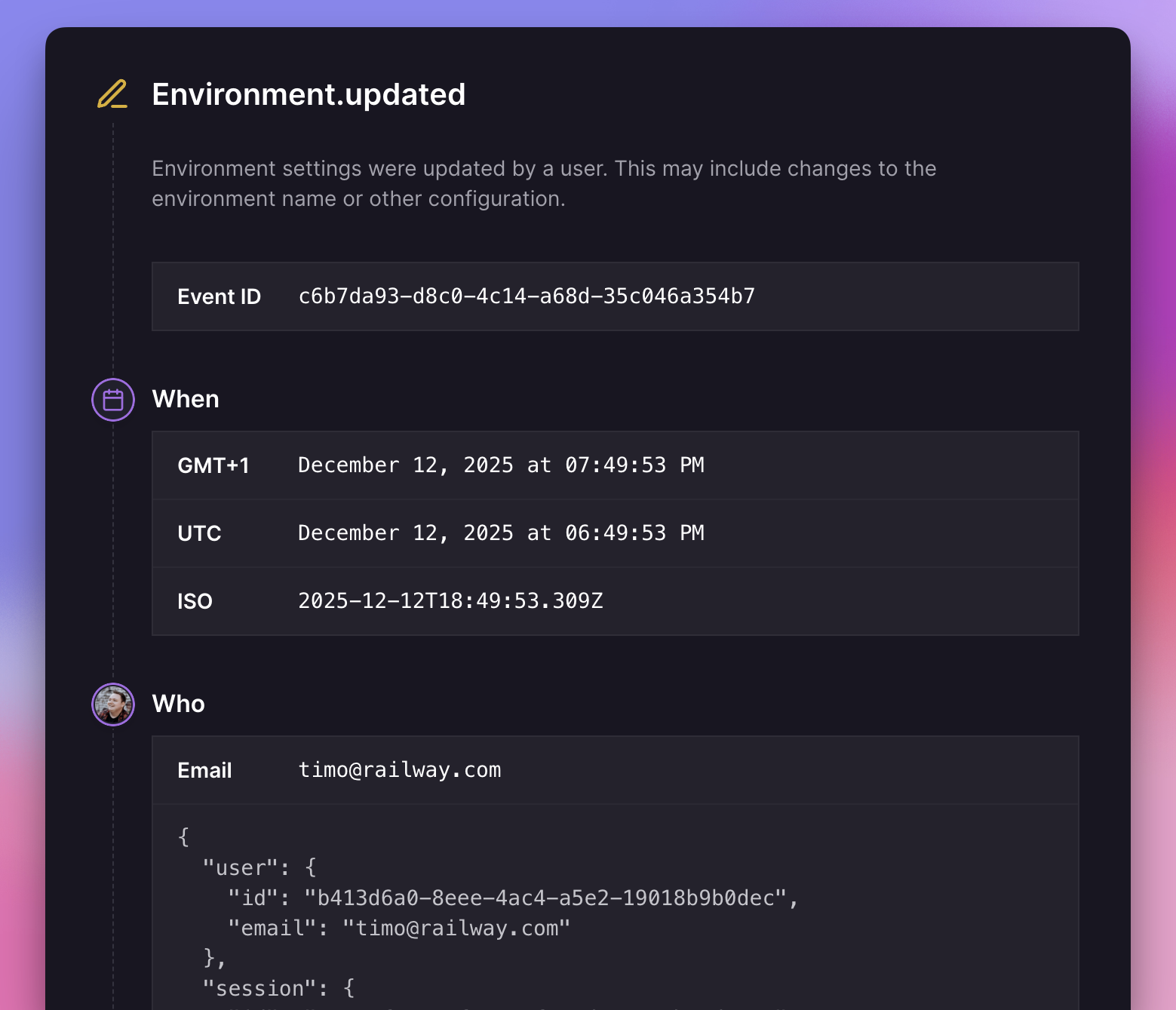
Actor types
Actions in audit logs can be performed by three types of actors:
- User: An action performed by a workspace or project member
- Railway Staff: An action performed by Railway's team (typically during support requests)
- Railway System: An automated action performed by Railway's platform (e.g., automatic updates, backups)
Historic events from before audit logs were released may not contain information about the actor.
Listing all audit logs event types
The complete documentation of all audit log event types and their descriptions can be retrieved using the Railway GraphQL API.
You can explore this information using the GraphiQL playground:
{
  auditLogEventTypeInfo {
    eventType
    description
  }
}
This query returns all available event types in audit logs, along with a description of what each event represents.
Exporting audit logs via the API
You can export audit logs programmatically using the Railway GraphQL API.
Use the auditLogs query to retrieve audit log entries for a specific workspace. You can test this query in the GraphiQL playground:
{
  auditLogs(workspaceId: "YOUR_WORKSPACE_ID") {
    edges {
      node {
        id
        eventType
        createdAt
        projectId
        environmentId
        payload
        context
      }
    }
    pageInfo {
      endCursor
      hasNextPage
      hasPreviousPage
      startCursor
    }
  }
}
For more information on using the GraphQL API, see the Public API Guide.
Audit log retention
Audit logs are retained for different periods depending on your Railway plan:
| Plan | Retention Period |
|---|---|
| Free, Trial and Hobby | 48 hours |
| Pro | 30 days |
| Enterprise | 18 months |
For longer retention periods or custom log export solutions, consider upgrading to a higher plan or contact us to discuss Enterprise options.